
 PDF Document Template Editor
Your Shopware PDF templates. Your design.
Design invoices and other supported documents in the visual editor. Add your own content and Shopware data, then preview the PDF before it is generated.
26 reviews
„Was Shopware 6 in den Dokumenten versäumt hat, macht diese Tool weg. Leicht zu Bedienen. Außerdem schneller und Klasse Support der auf die Wünsche schnellstmöglich eingeht. :-)“
Schreiber Florian
PDF Template Editor: Features in the Shopware Store
Explore the approved Store images and see how to edit supported Shopware document templates in the visual editor.

Design Shopware documents yourself.
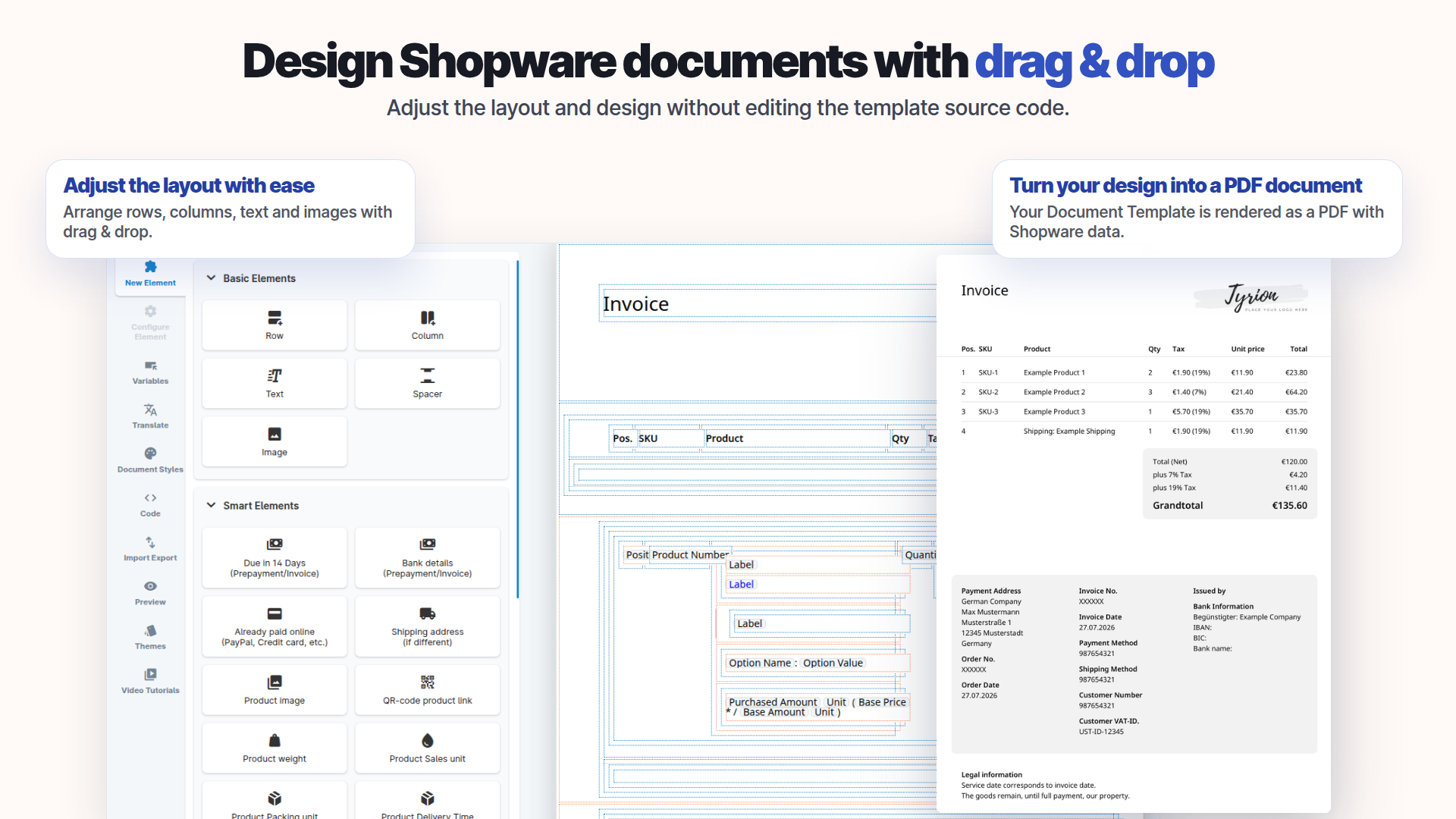
Edit supported templates visually in Shopware Administration. Add the relevant shop data and check the PDF output before using the document.
- Edit designs with drag and drop and inline text
- Find relevant values in the variable tree
- Import and export templates
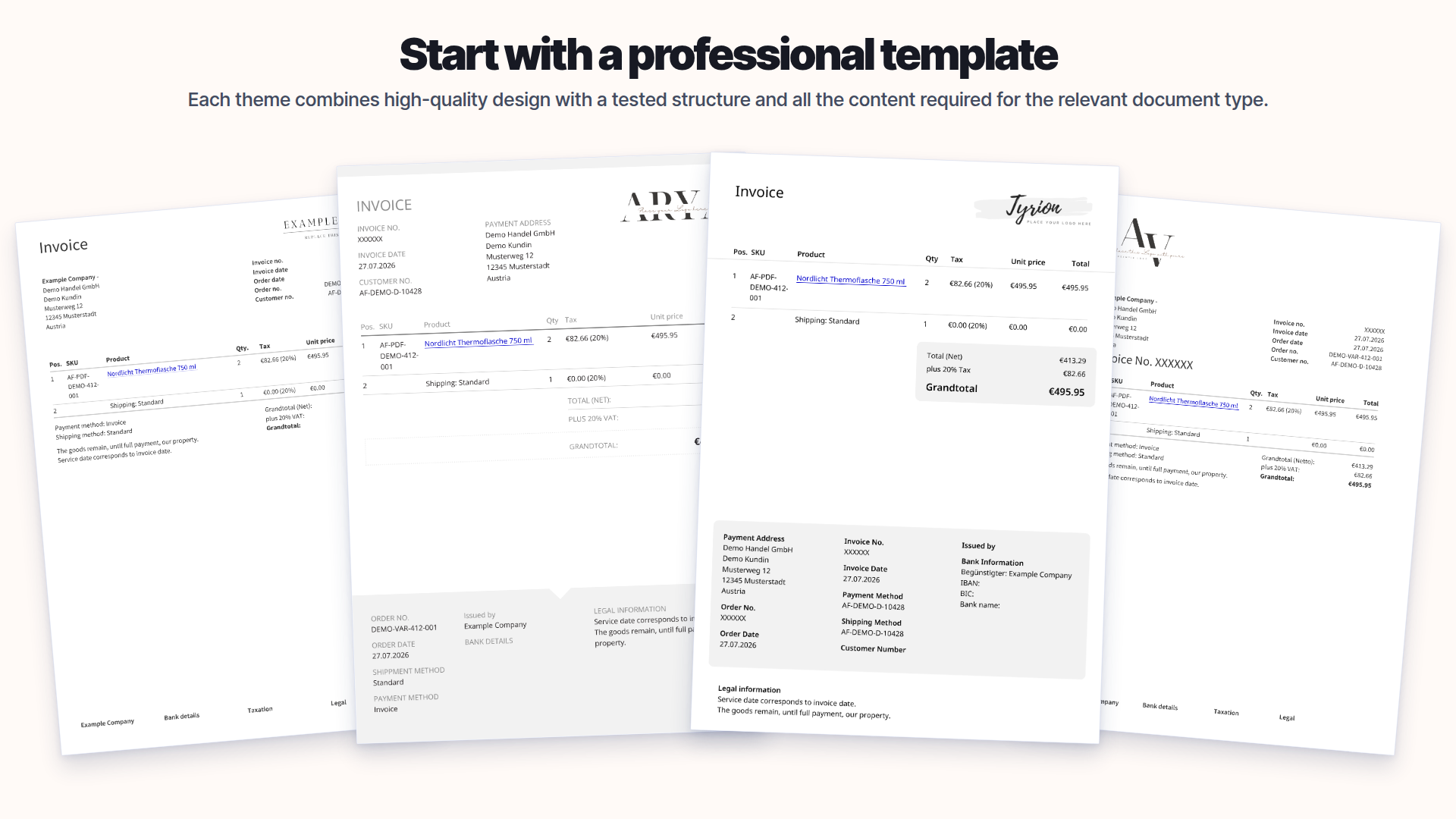
Start with a template.
Use an existing structure and adapt it to your document.
- Start from a theme or a blank template
- Reuse styles and saved elements
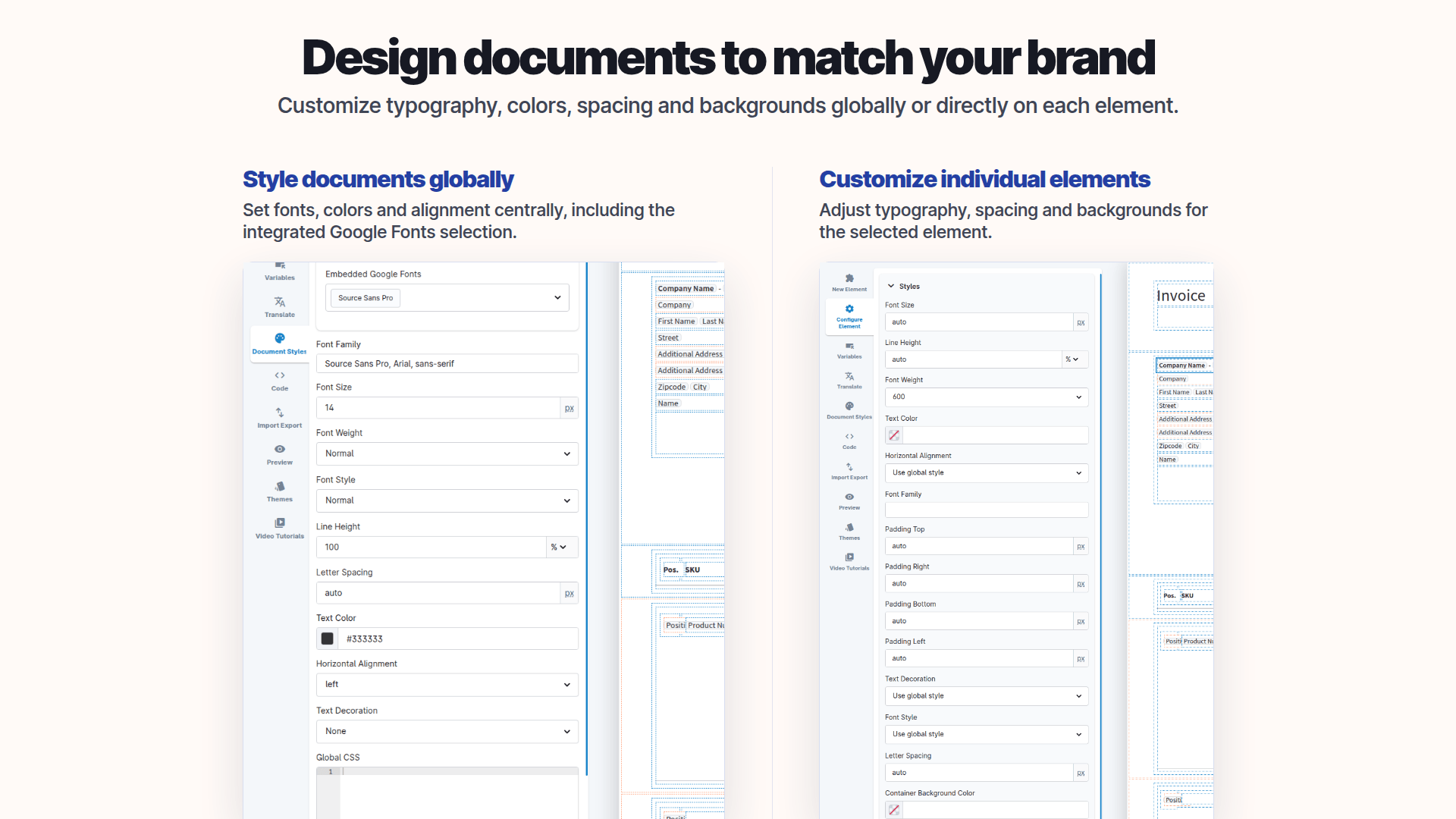
Make the document look like your shop.
Adapt typography, layout and content to your shop identity.
- Adjust fonts and document styles
- Keep recurring design consistent
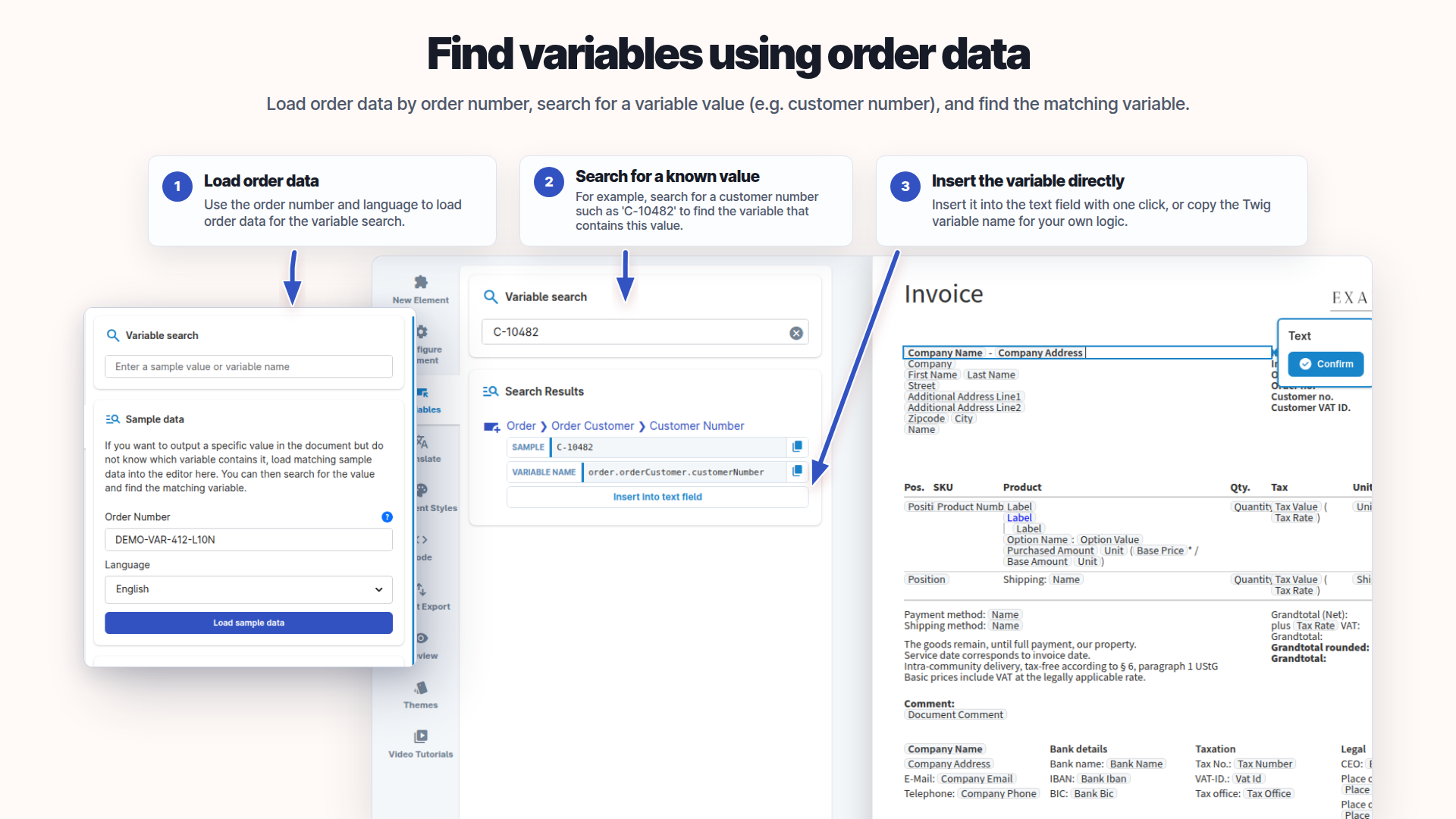
Find the right value.
Search Shopware data and sample values in the variable tree instead of guessing data paths.
- See data paths beside example values
- Choose relevant custom fields
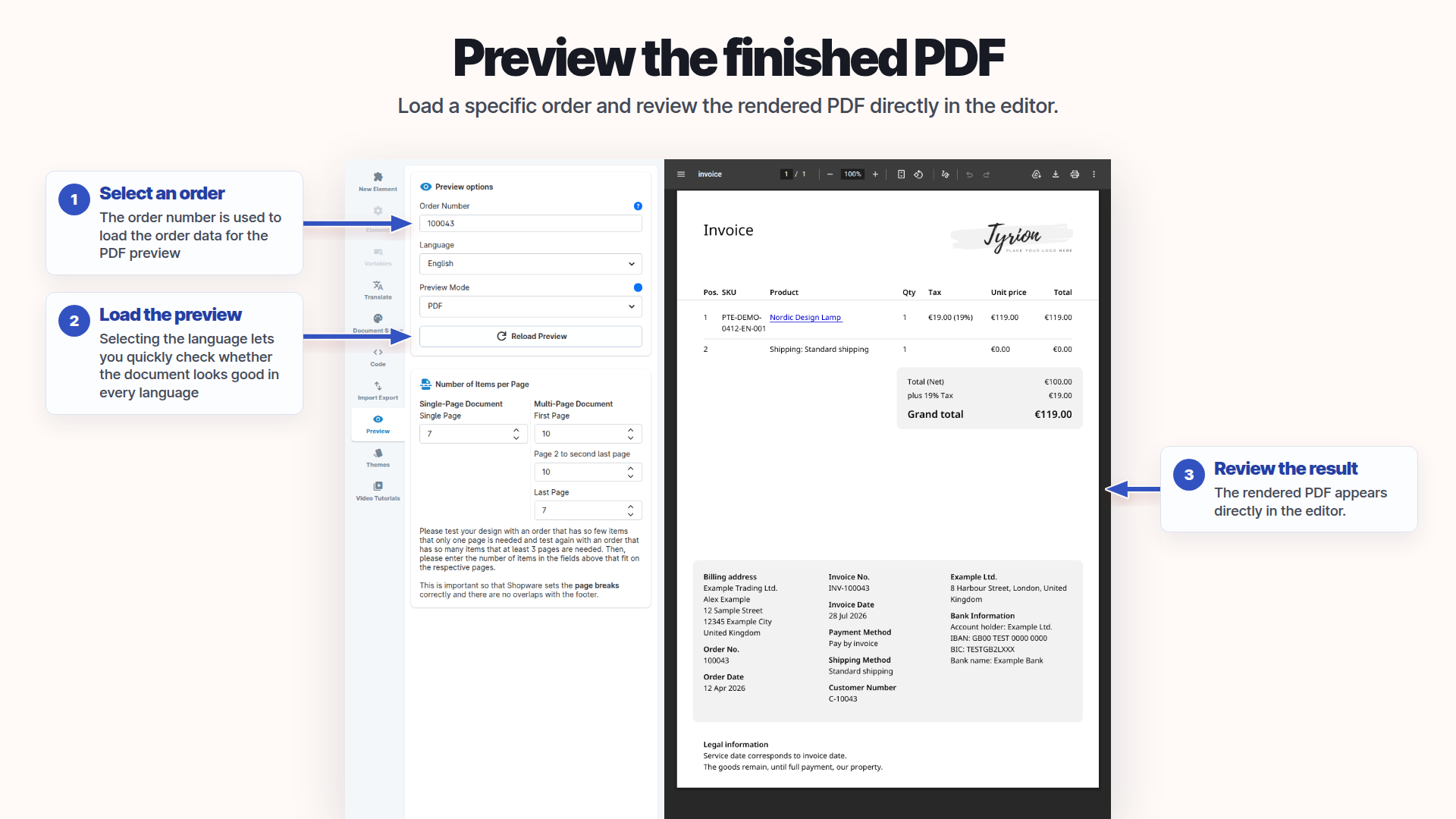
Check the result before using it.
Preview the PDF with sample order data before applying the template.
- Select an order and language for the preview
- Check the output before use
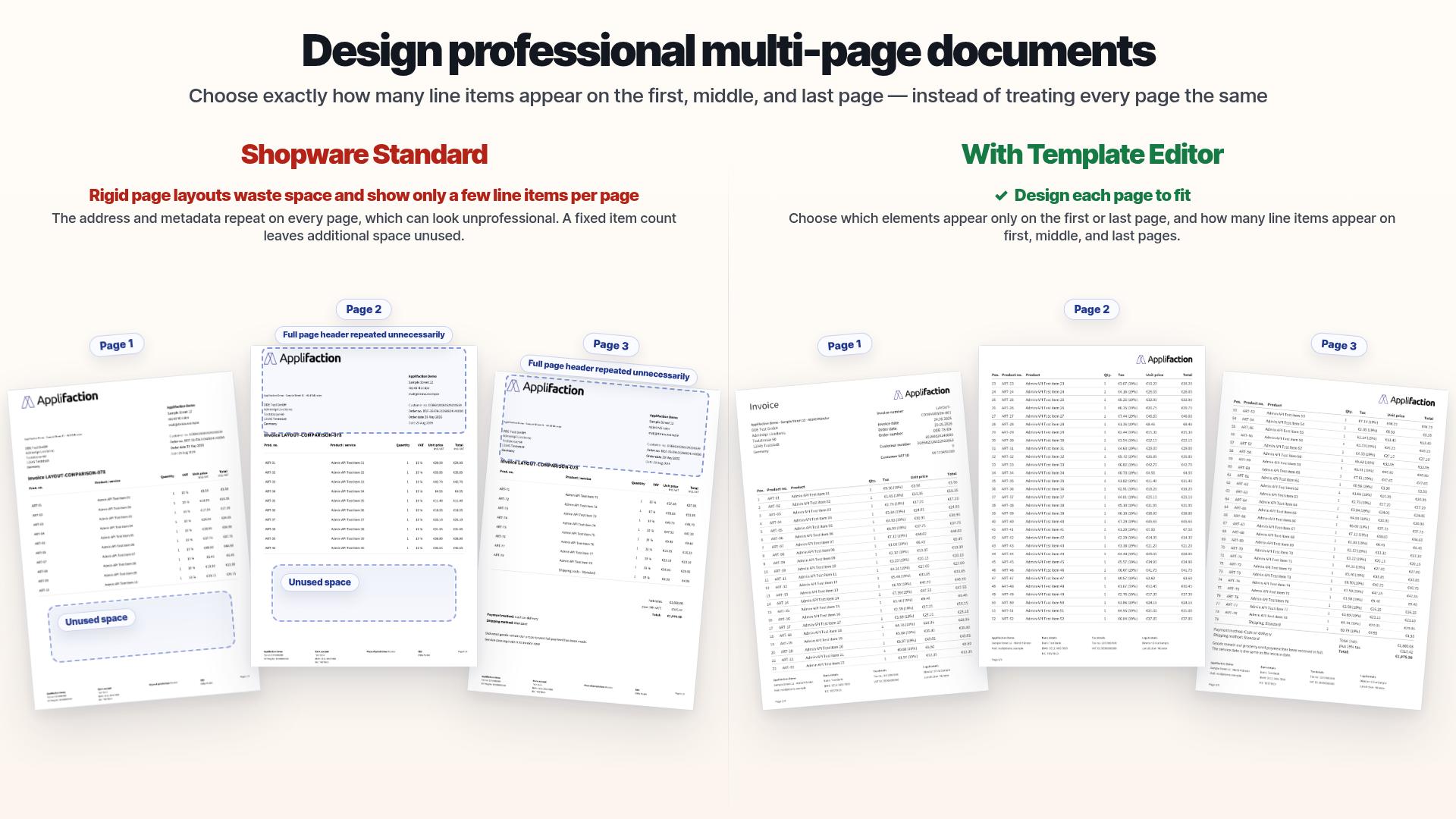
Design longer documents too.
Build recurring header and footer sections and content across multiple pages.
- Structure headers and footers
- Build multi-page templates
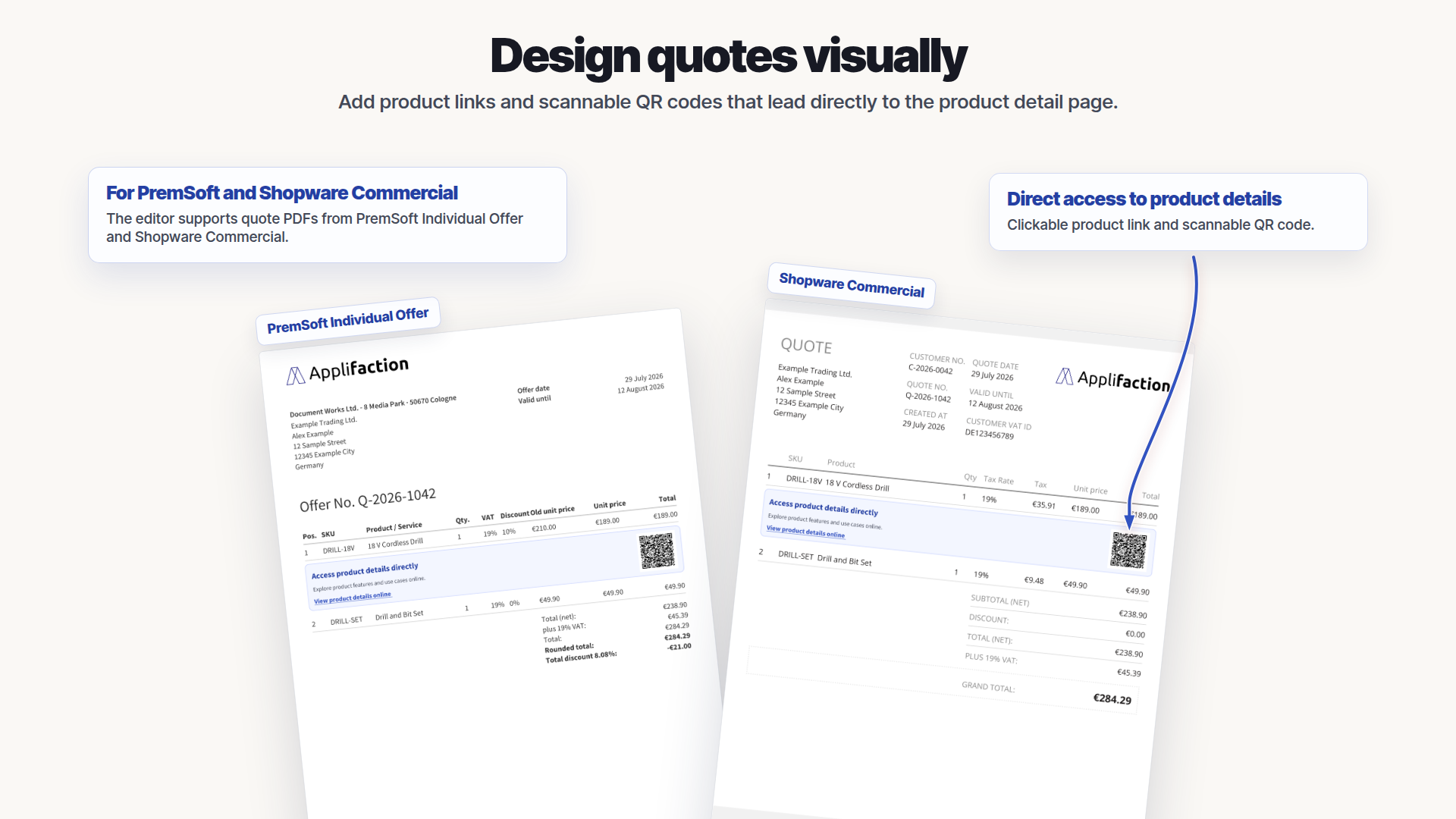
Design quotes visually.
Edit supported quote templates in the visual editor as well.
- Edit supported quote templates visually
- Preview the result before use
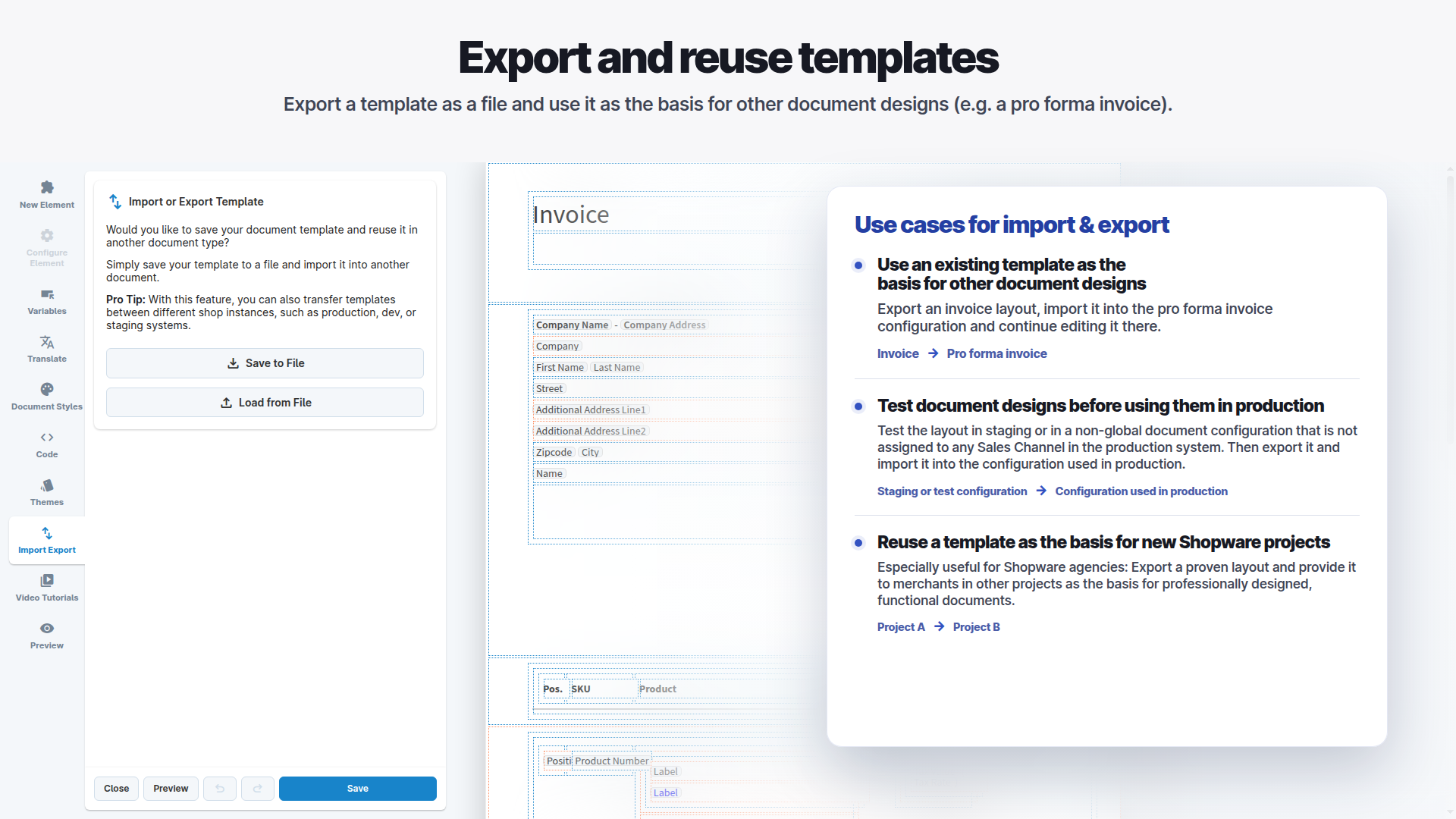
Reuse your templates.
Export a document design and import it as a starting point for another supported use case.
- Use an invoice layout as a starting point
- Transfer designs in a compatible setup
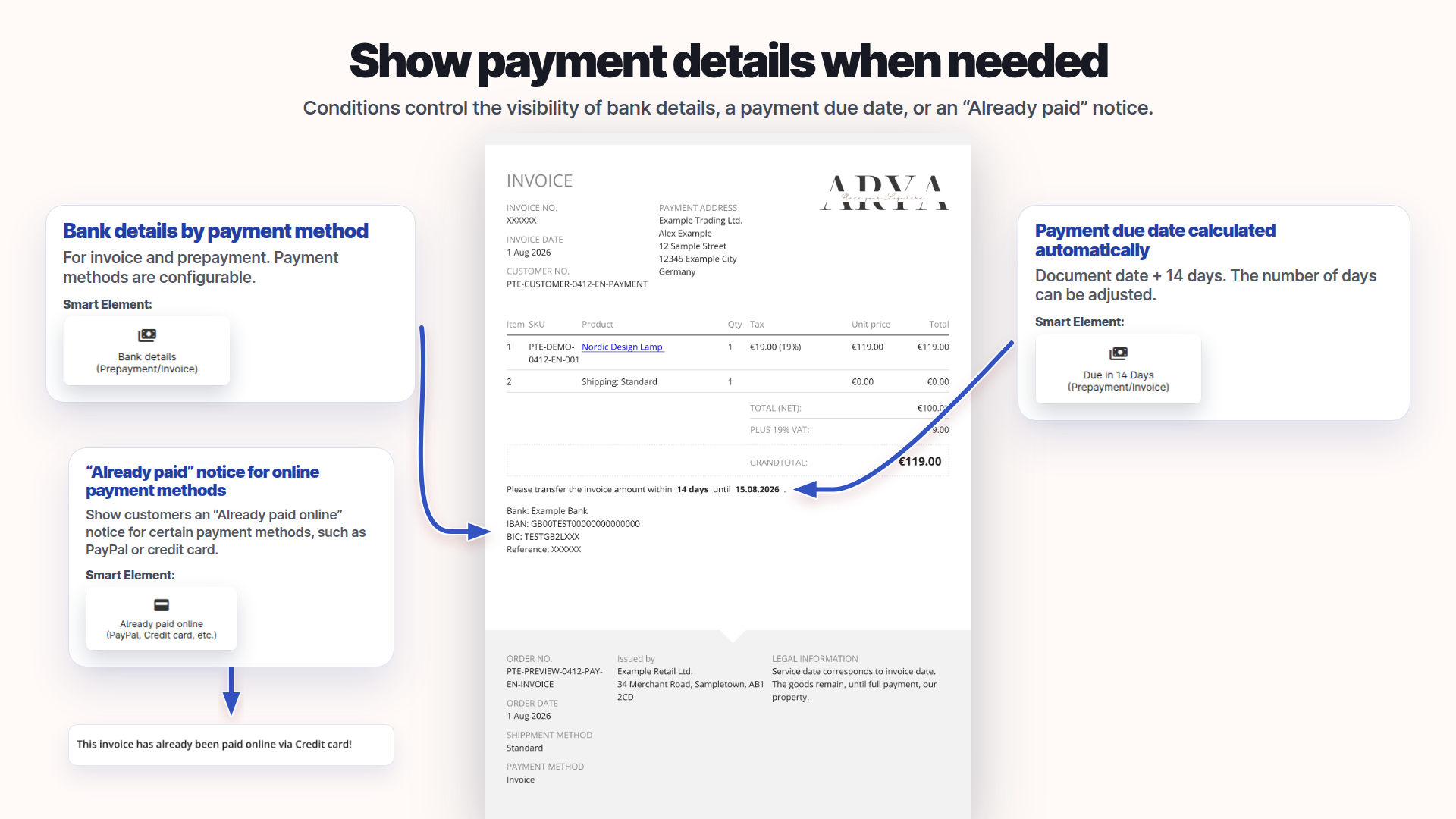
Show payment details where they belong.
Display payment information in the appropriate document context.
- Display payment details selectively
- Adapt content to the document
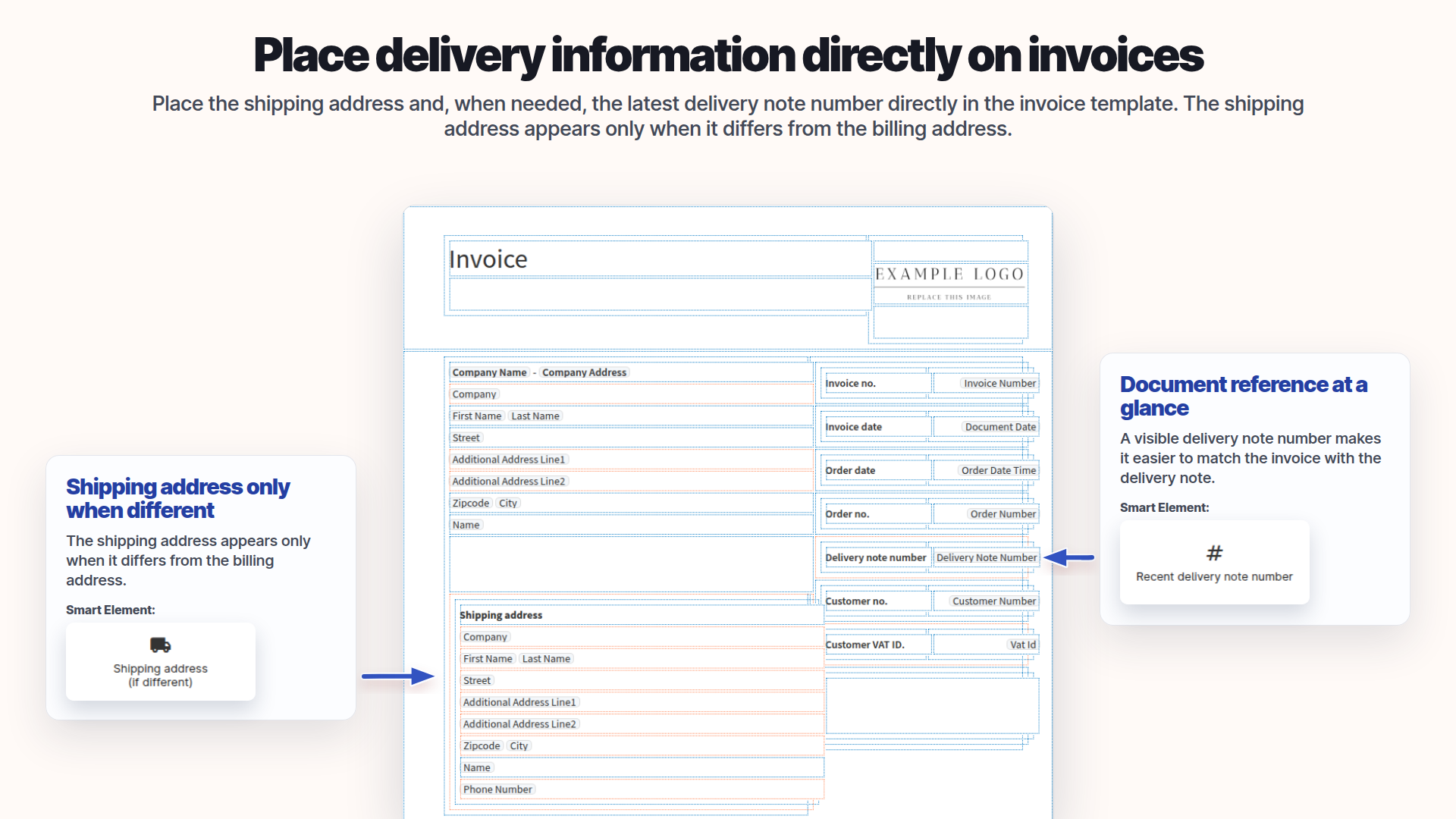
Show delivery details where they belong.
Add delivery-related information where it matters for the document.
- Show delivery details in context
- Avoid irrelevant default text
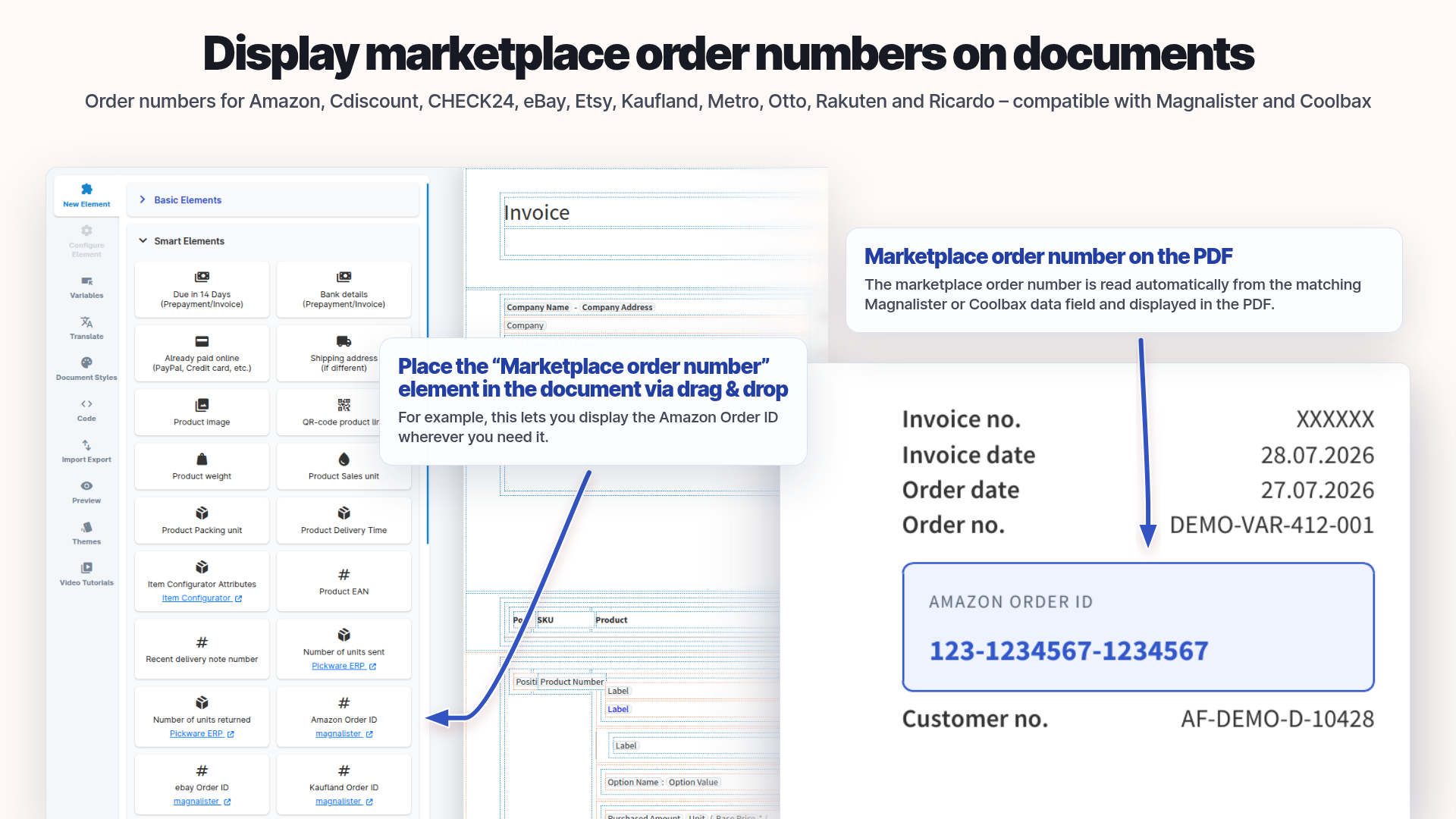
Make order references visible.
Use supported marketplace references to connect external orders to a document.
- Show external order references
- Identify marketplace orders more easily
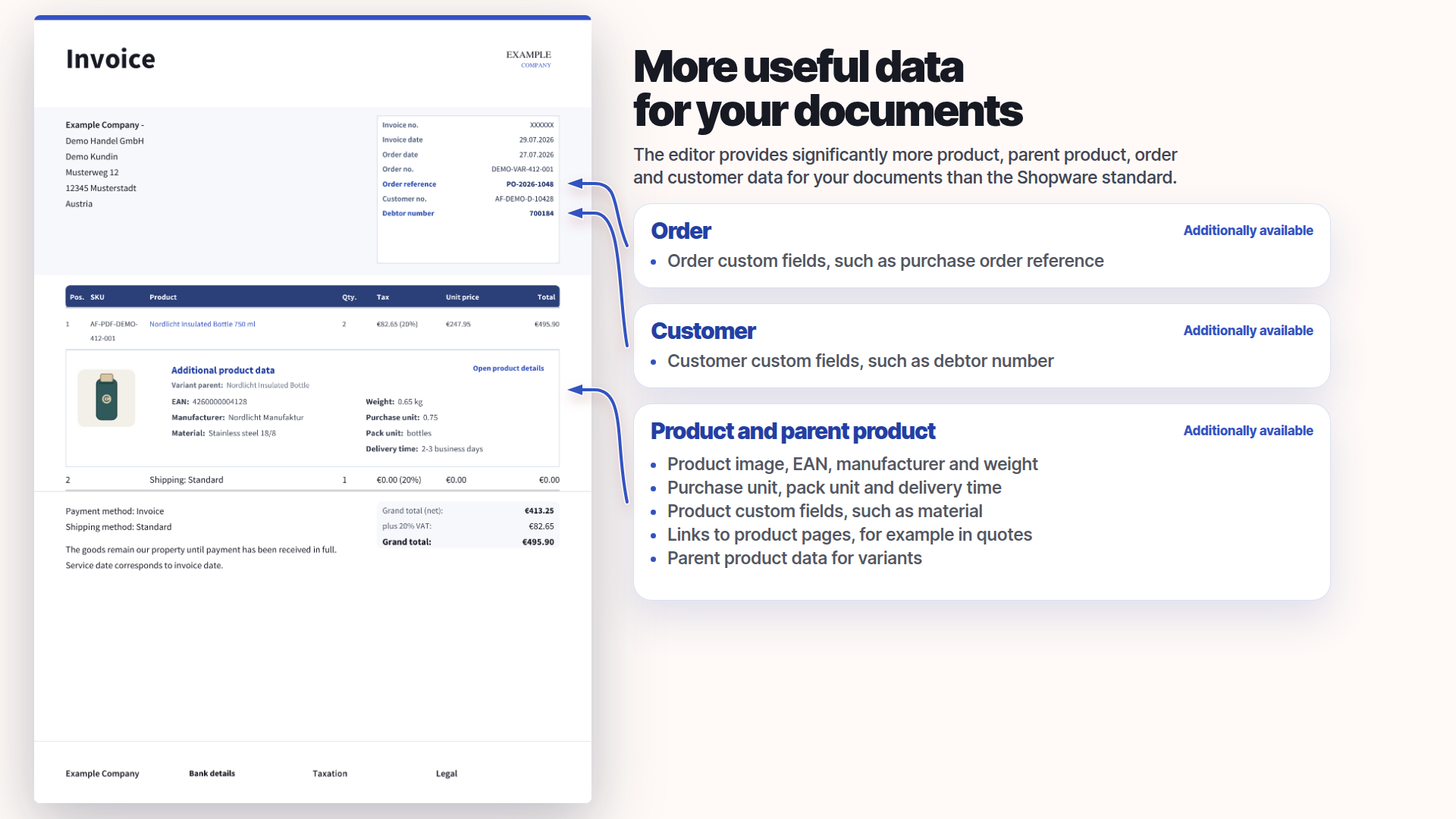
Use more shop data in your template.
Add product and context data to supported order-related documents.
- Use additional product data
- Check the actual values in the PDF
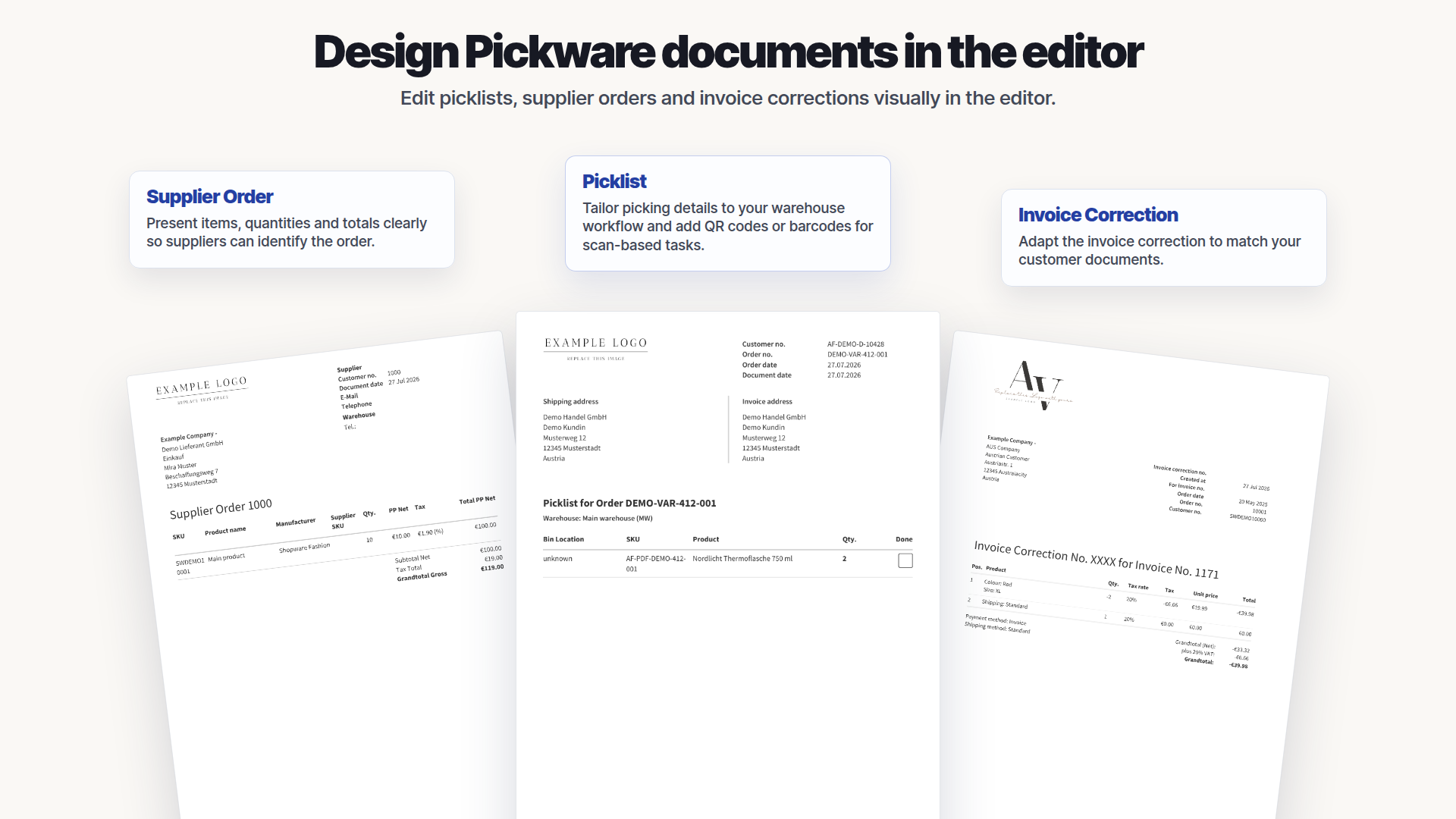
For specific Pickware documents.
Visually edit supported Pickware types such as pick lists; not every Pickware document type is supported.
- Design supported Pickware types visually
- Some document types are not covered
PDF Template Editor for Shopware 6
Reviews for the PDF Template Editor for Shopware 6.
Reviews: PDF Template Editor for Shopware 6
6 reviews · PDF Template Editor
Was Shopware 6 in den Dokumenten versäumt hat, macht diese Tool weg. Leicht zu Bedienen. Außerdem schneller und Klasse Support der auf die Wünsche schnellstmöglich eingeht. :-)
Klasse Plugin + Schneller Support + Features werden zeitnah umgesetzt
Hallo Oliver, danke für dein professionelle Hilfe es ist für mich so wie ich es mir gewünscht habe und dein Plugin ist jeden Euro wert auch aufgrund deiner schnellen Reaktionszeiten. Absolut top, habe ich in den letzten 7 Jahren, in denen ich mit Shopware arbeite, noch nicht erlebt. Bezüglich Funktionalität kann sich Shopware ein Scheibe abschneiden (darf auch ruhig etwasdicker ausfallen) ich wünsche Dir weiterhin alles gute Mit freundlichen Grüßen PEWOBAR.DE Wolfgang Barbett
Wir nutzen das Plugin schon seit einiger Zeit im Shop und sind wirklich überzeugt. Das Drag-and-Drop funktioniert hervorragend, ebenso der Einsatz der Variablen und alle anderen Funktionen. Alles läuft genau so, wie man es sich wünscht. Einziger Kritikpunkt: Für ein Plugin, das man in der Regel nur einmalig zur Erstellung oder Anpassung der Dokumente nutzt und danach selten anfasst, sind knapp 60 € im Monat schon recht viel.
Super Plugin, funktioniert perfekt, Support ungewöhnlich gut .. es werden Anpassungen am Dokument kostenlos im Rahmen der monatl. Miete gemacht .. absolut perfekt
Hersteller gibt extrem schnellen, gezielten und lösungsorientierten Support. Vielen Dank Oliver, echt Klasse von Dir. Du hast mir sogar am Wochende bei einer dringenden und wichtigen Sache geholfen. Das ist nicht selbstverständlich und sollte hier mal erwähnt werden. Also Hut ab. Das Plugin ist sehr gut und modular gestrickt. Man kann einzelne Komponenten Ex- & Importieren oder gar ganze Layouts speichern, übertragen oder gar an seine Bedürfnisse anpassen (mit etwas IT Background).