

DPD shipping extension
Handle DPD shipping directly in Shopware
Create labels, send tracking links and handle returns directly in the Shopware Administration without switching to the DPD portal every day.
“Plugin tut was es soll inkl. Flow-Builder Integration. Support ist hilfsbereit und schnell!”
DPD shipping in everyday Shopware workflows
Explore individual DPD shipping workflows in Shopware. Ask me directly if you are unsure whether the Plugin fits your store.

DPD shipping inside Shopware.
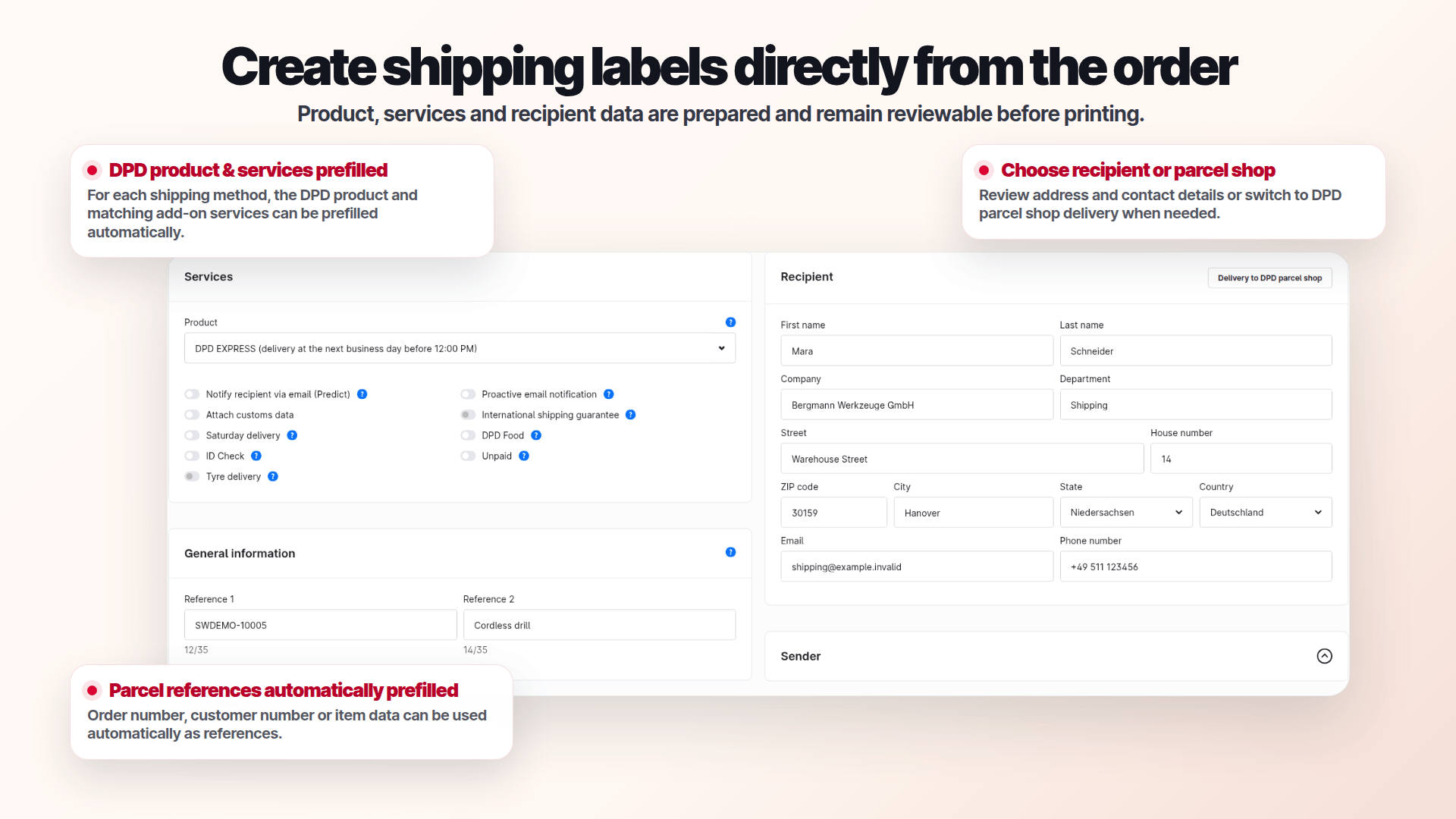
Create shipments and labels from your Shopware orders with my DPD Shipping Plugin. You can also work with shipping lists and returns in supported Administration workflows.
- Maintain package presets for relevant cases
- Provide recipients with a tracking link
- Ask me directly if you need help
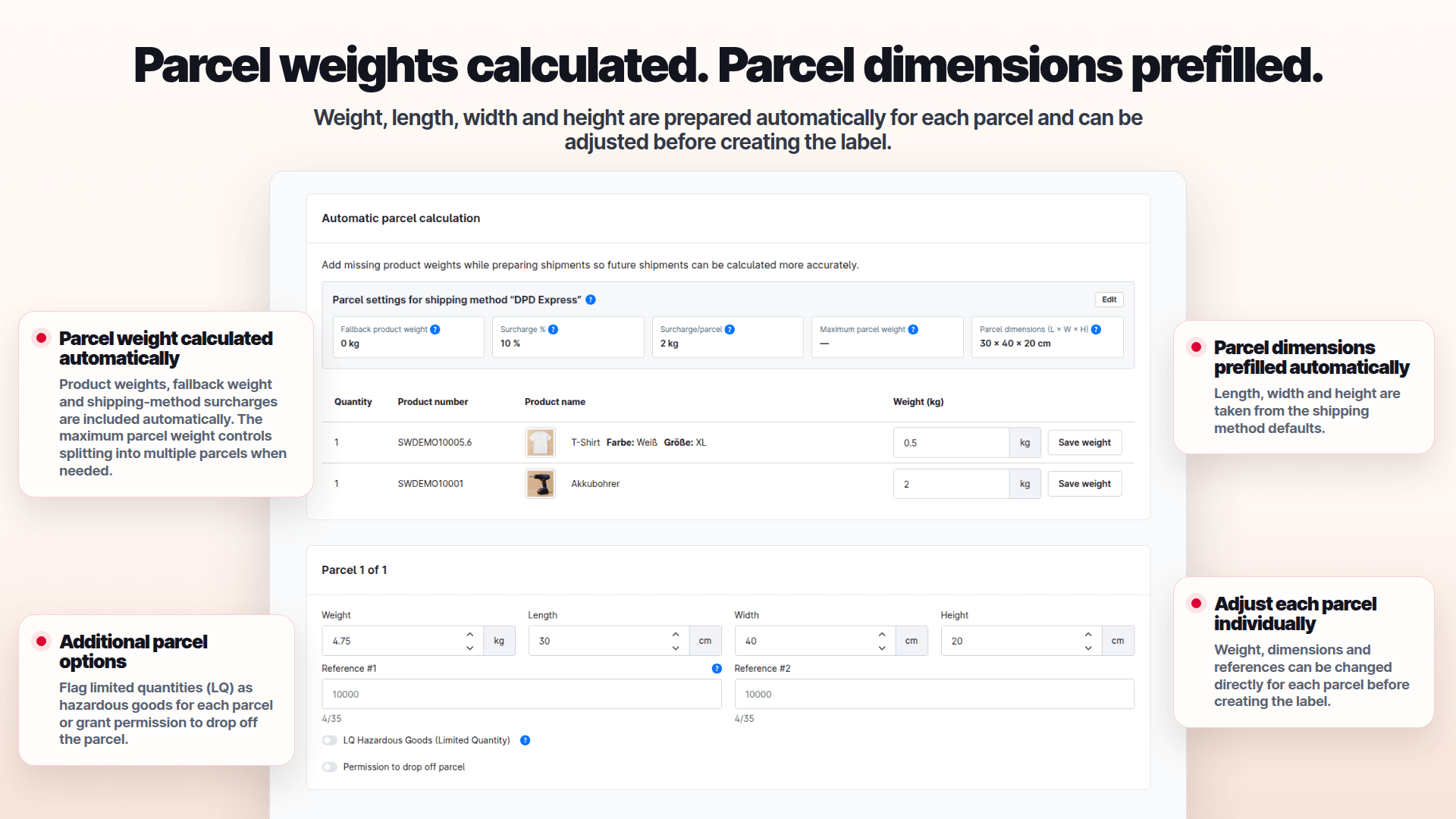
Prepare packages.
The plugin calculates packages from stored product and shipping data.
- Use product and shipping data as the basis
- Check package allocation before creating labels
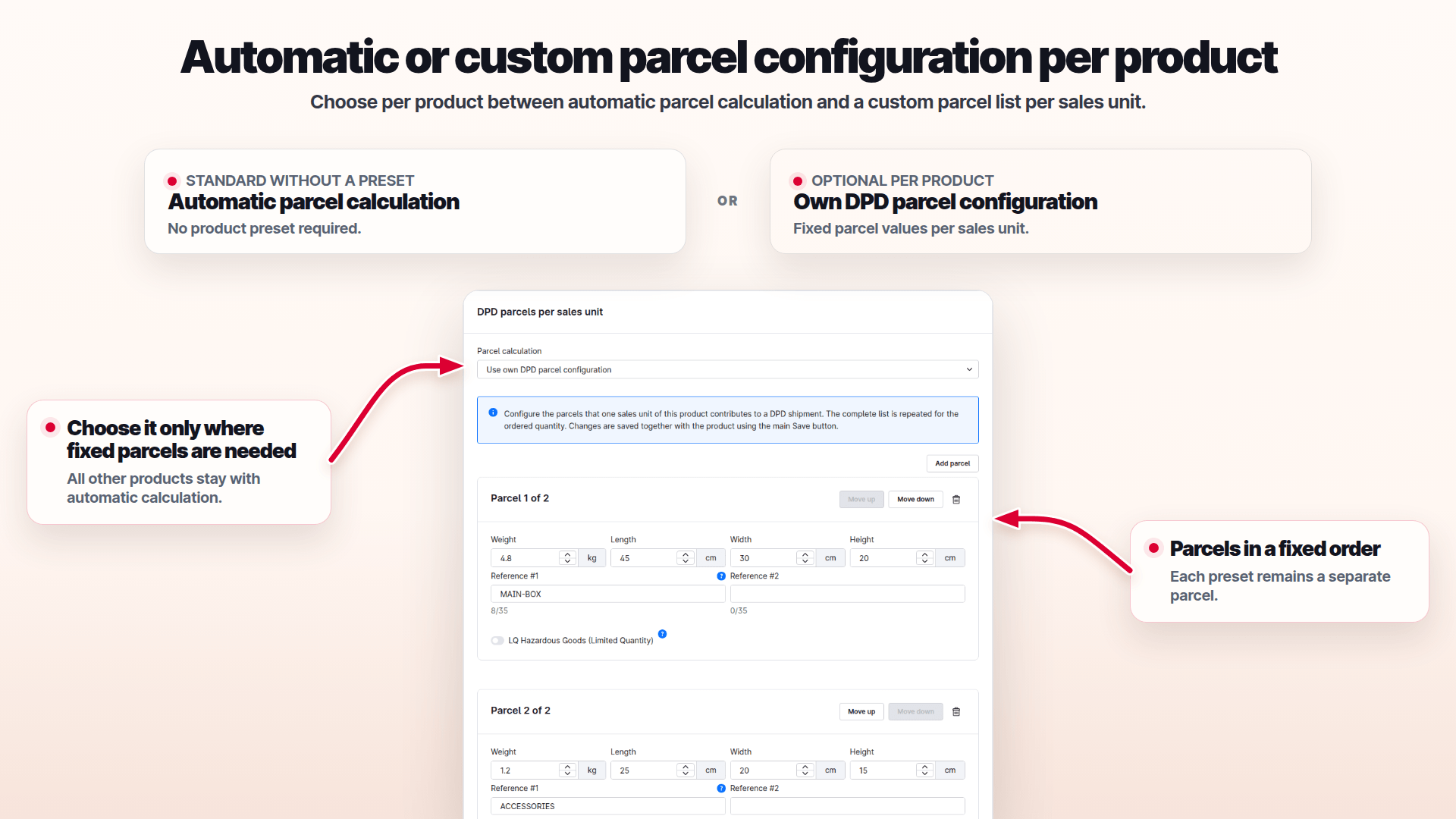
Package settings per product.
Configure package presets for products or use automatic calculation.
- Set package presets per product
- Use automatic calculation when appropriate
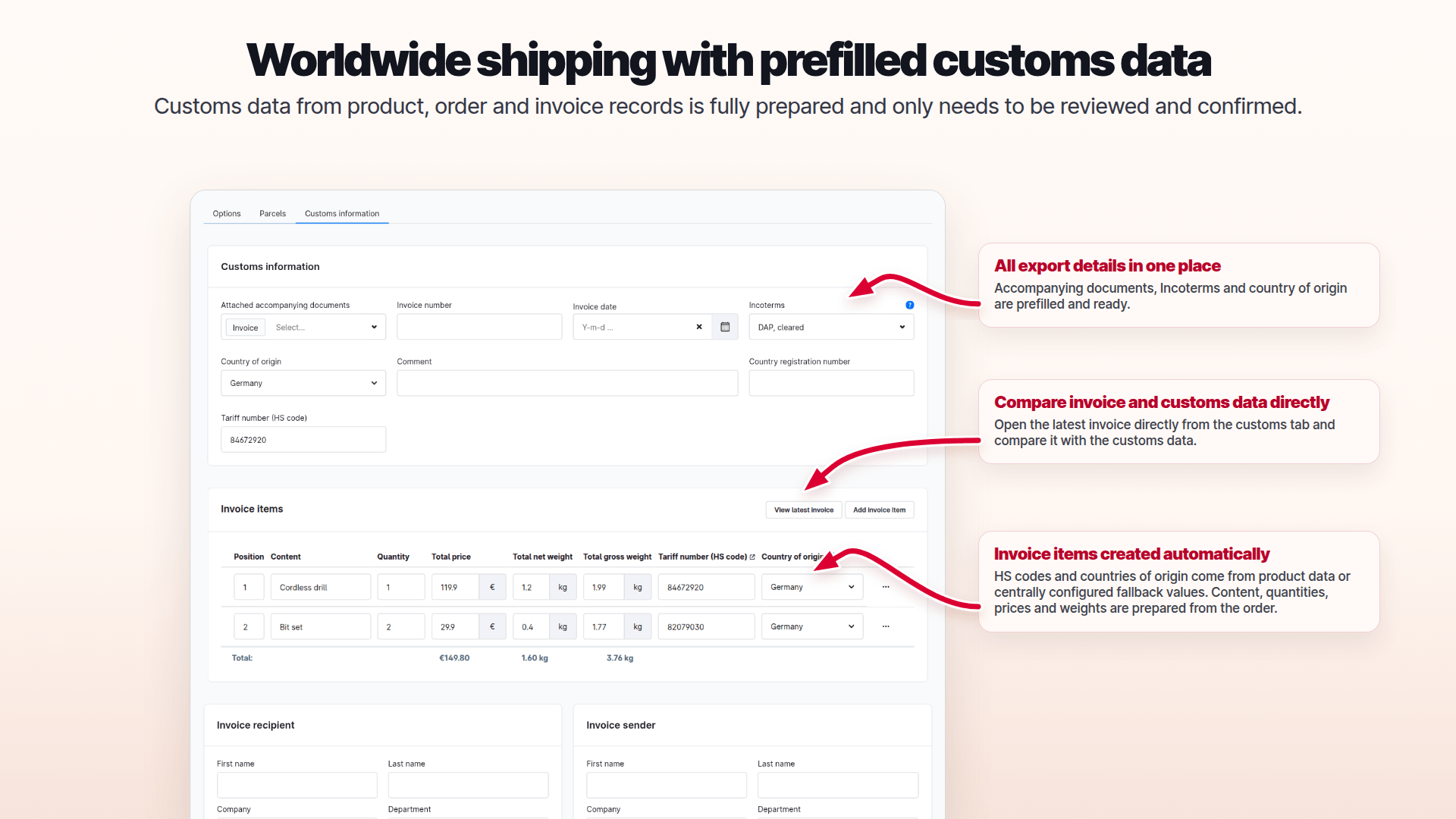
Keep customs data in view.
For shipments outside the EU, check and complete prepared export details before creating labels.
- Review shipment and line-item data
- Check DPD requirements for non-EU destinations
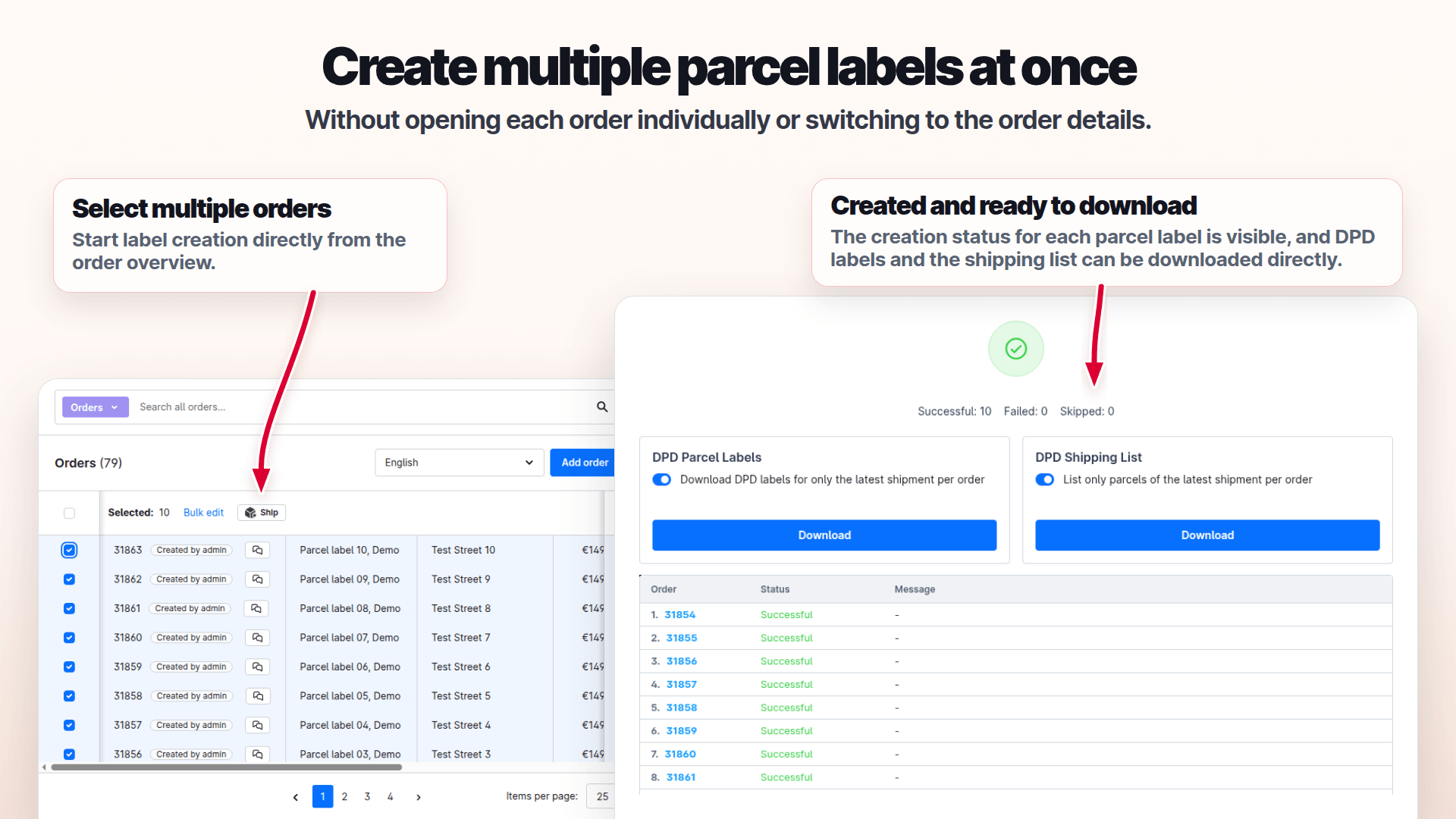
Handle multiple labels together.
Select suitable DPD labels and print or download them as a group.
- Work with multi-parcel shipments
- Download labels from the result dialog
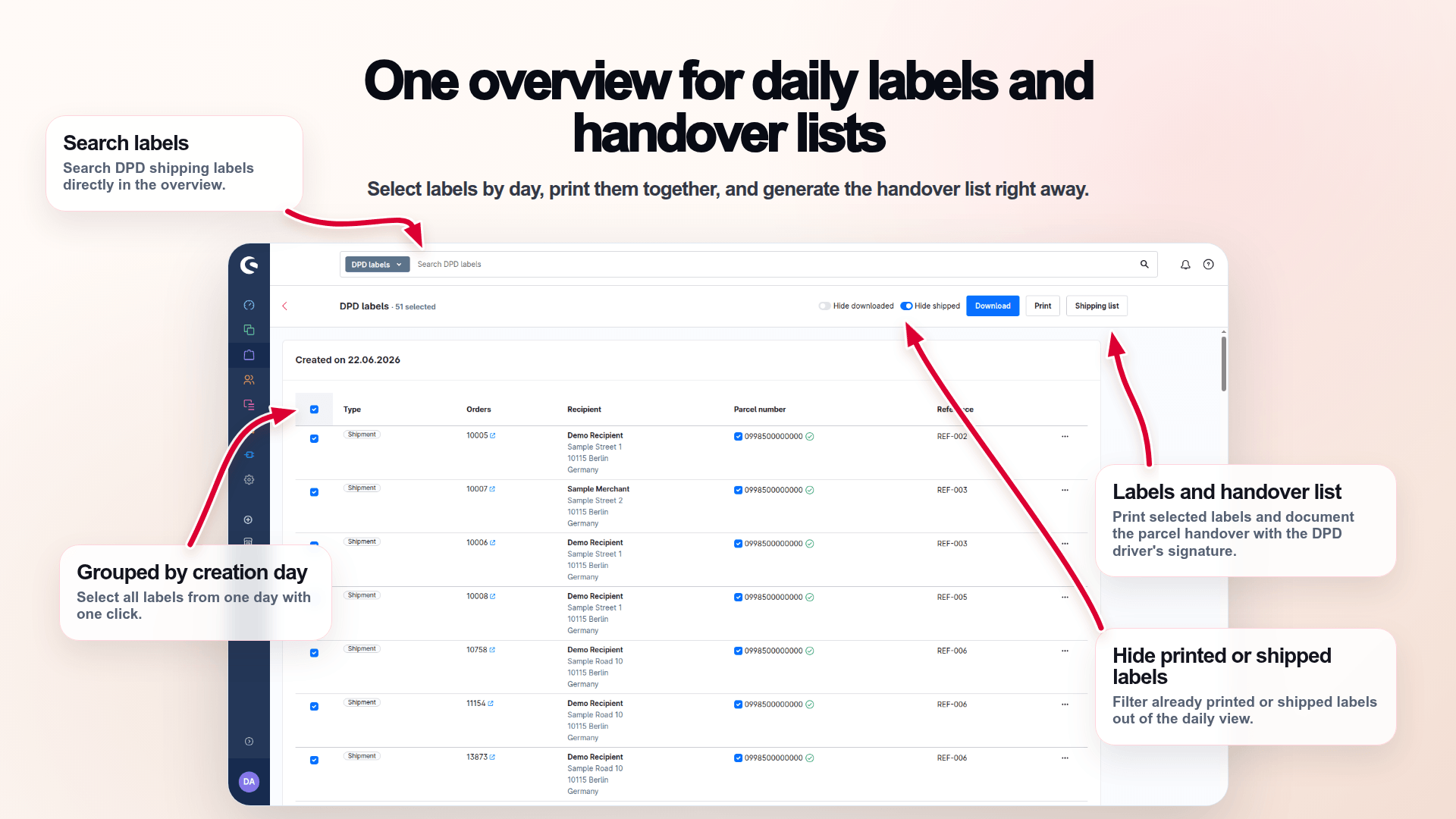
Prepare your daily close.
Select the labels for a day and create the shipping list in one workflow.
- Select a day’s labels together
- Build the shipping list from that selection
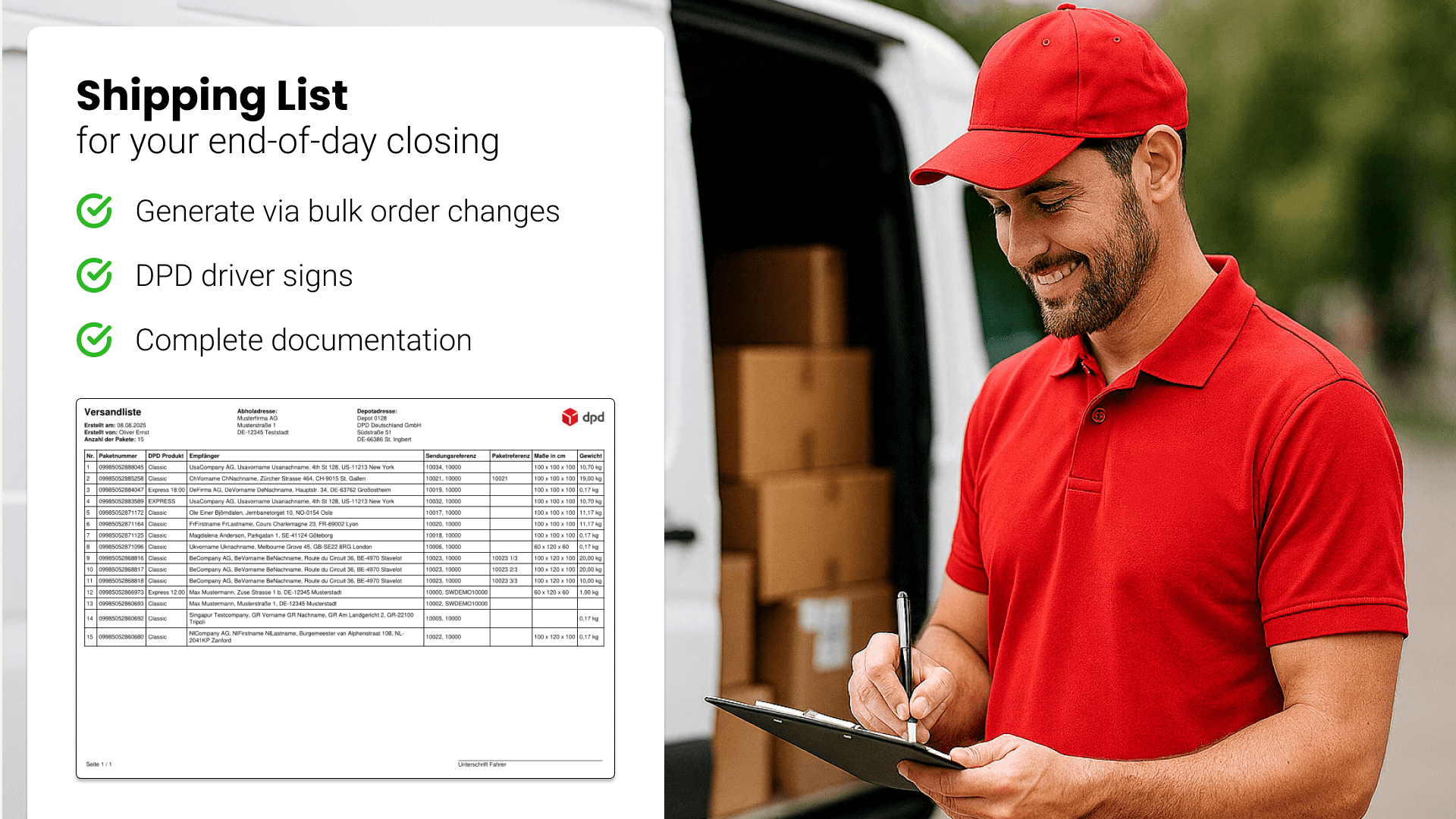
Create the list from your selection.
Generate a shipping list only from the DPD labels you actually selected.
- Include only selected labels
- Export the matching shipping list
Stay in your familiar Admin.
Start the shipping workflow from Shopware orders and continue with your DPD documents.
- Start with orders
- Process DPD documents in Administration
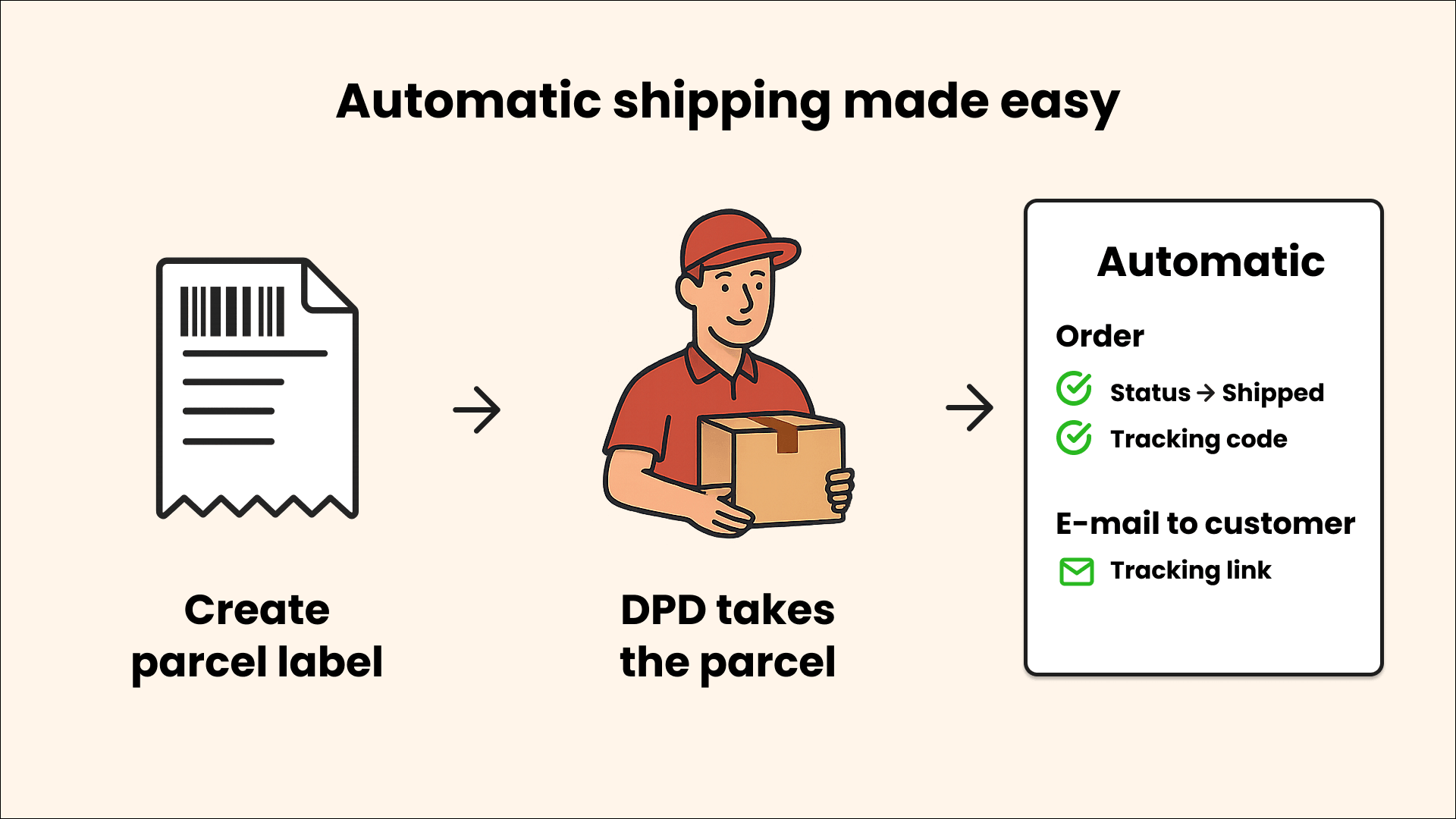
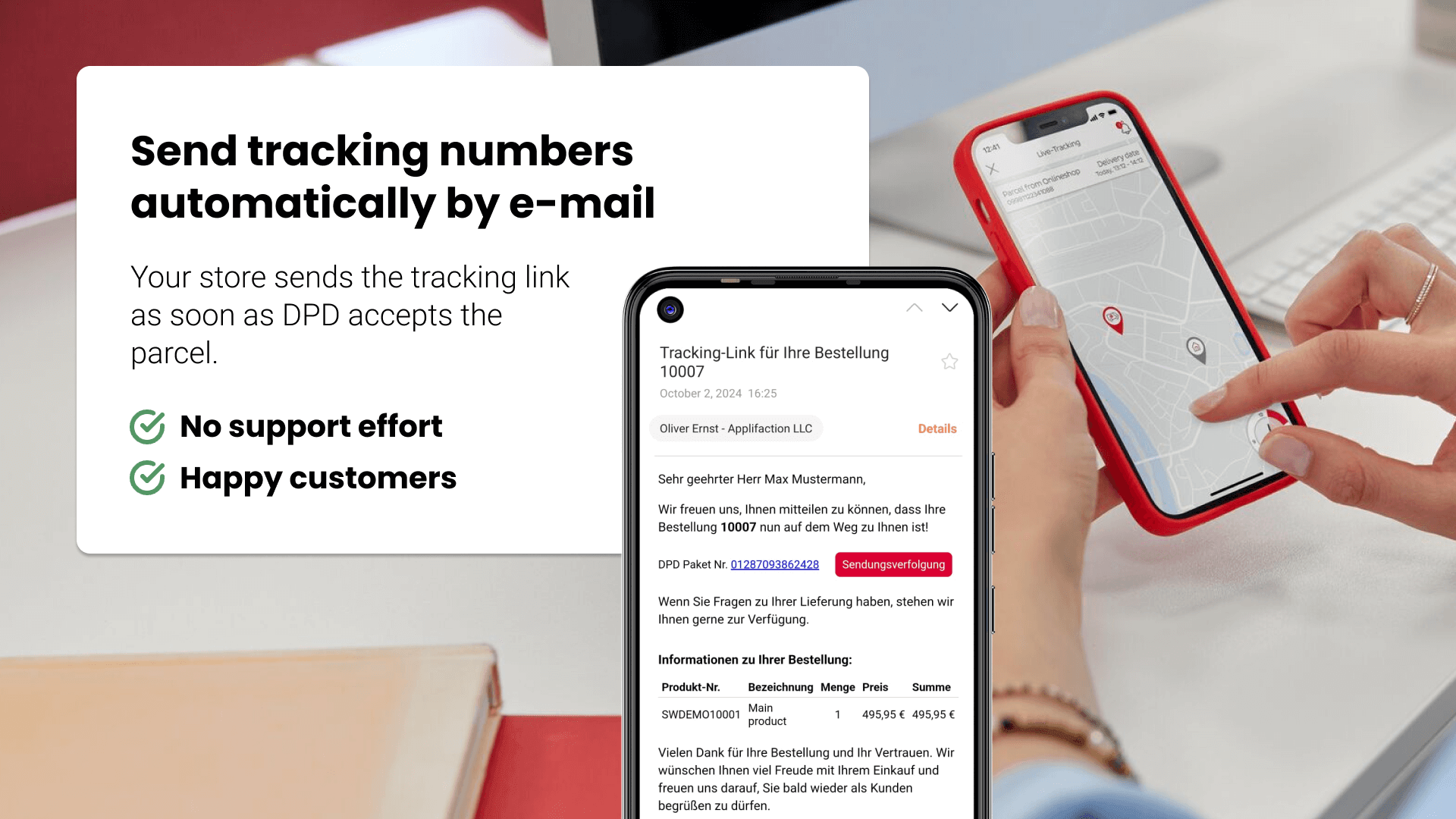
Tracking for recipients.
A tracking link lets customers check the status of their DPD shipment.
- Provide customers with a tracking link
- Open the shipment status from that link
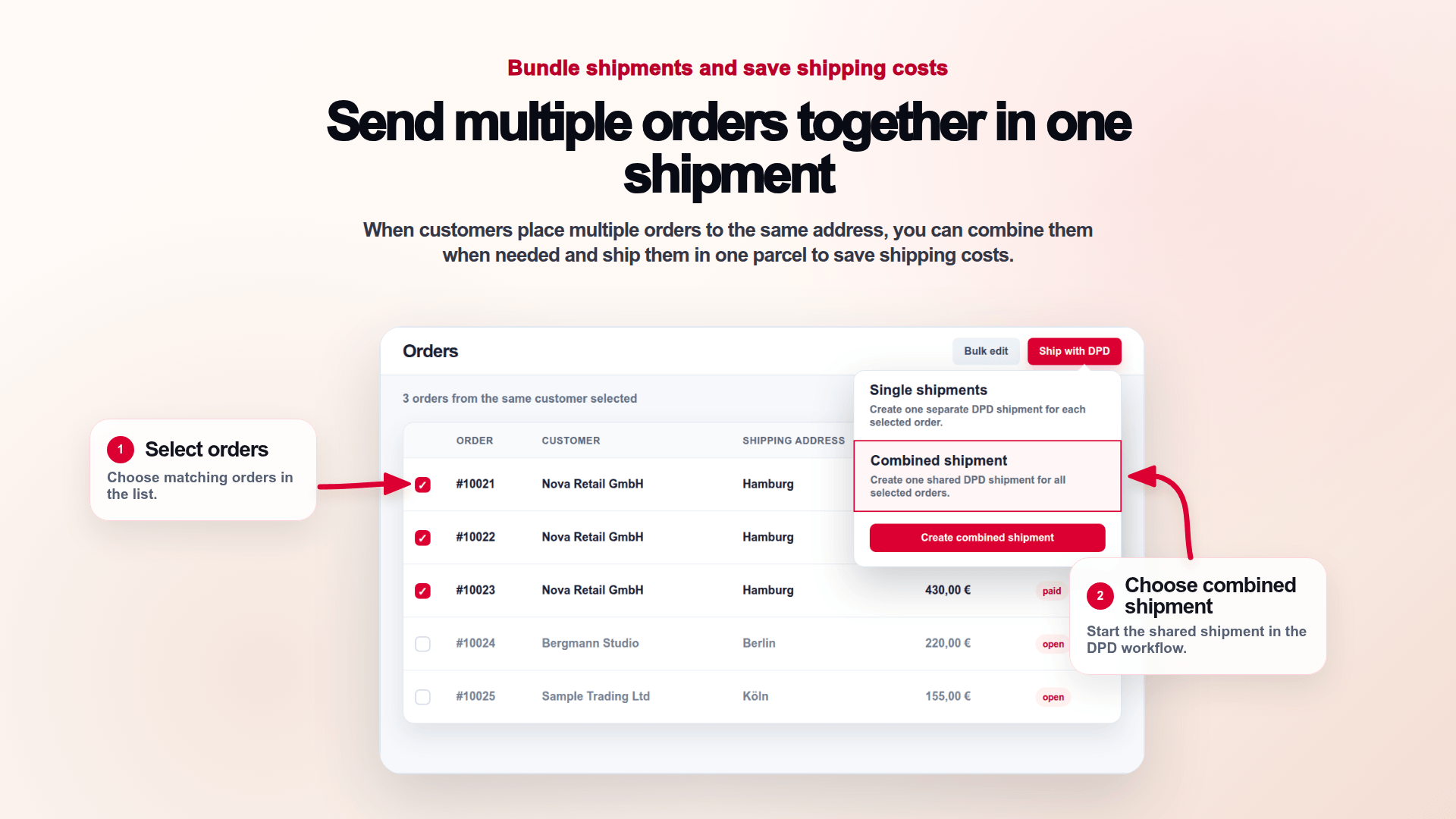
Ship selected orders together.
Choose the main order as the data source and combine marked orders in a shipment.
- Use the main order for core shipment data
- Combine further selected orders
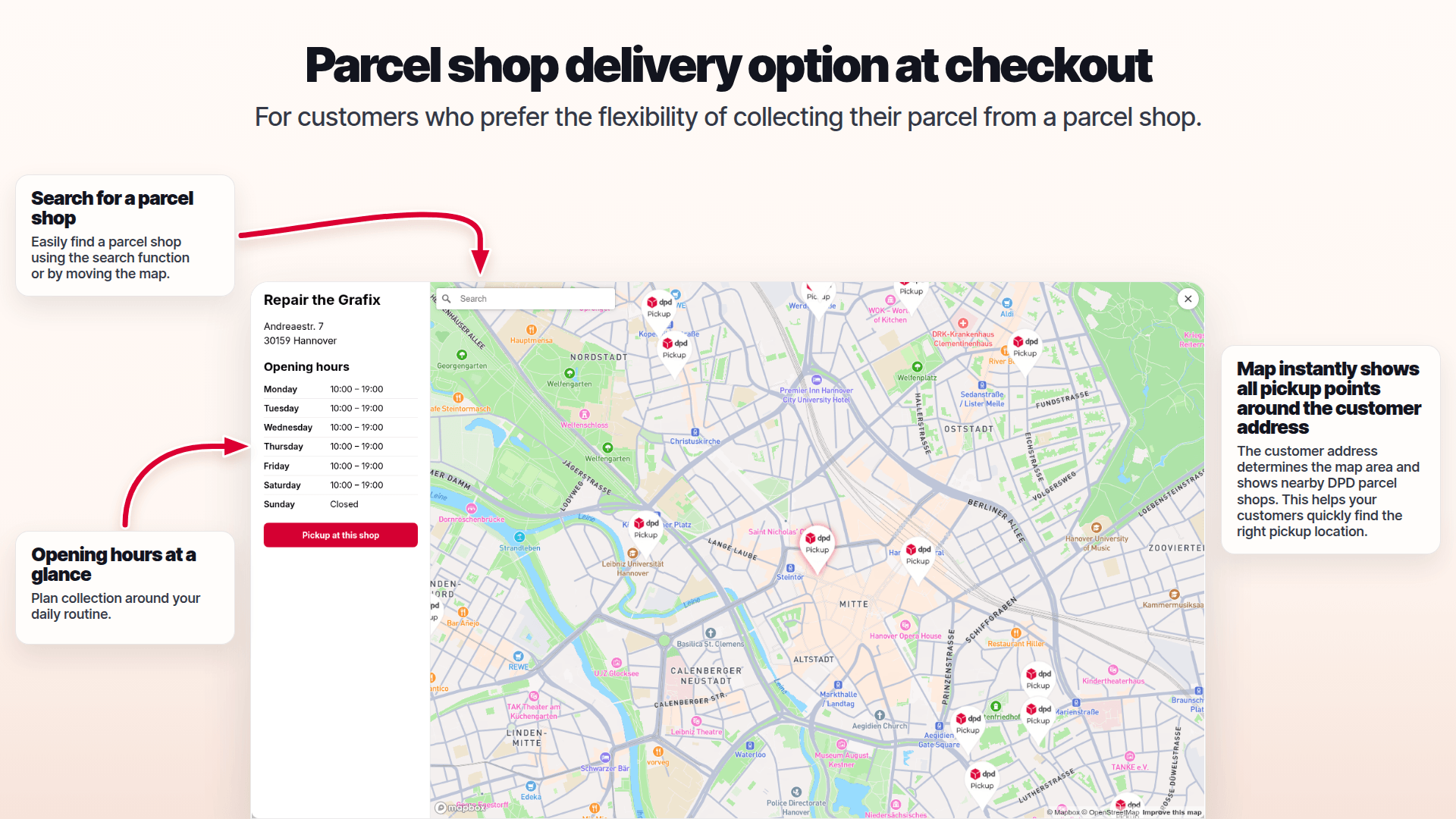
Parcel shops at checkout.
Let customers select a suitable DPD parcel shop for delivery.
- Offer parcel-shop selection in checkout
- Use the selected delivery option
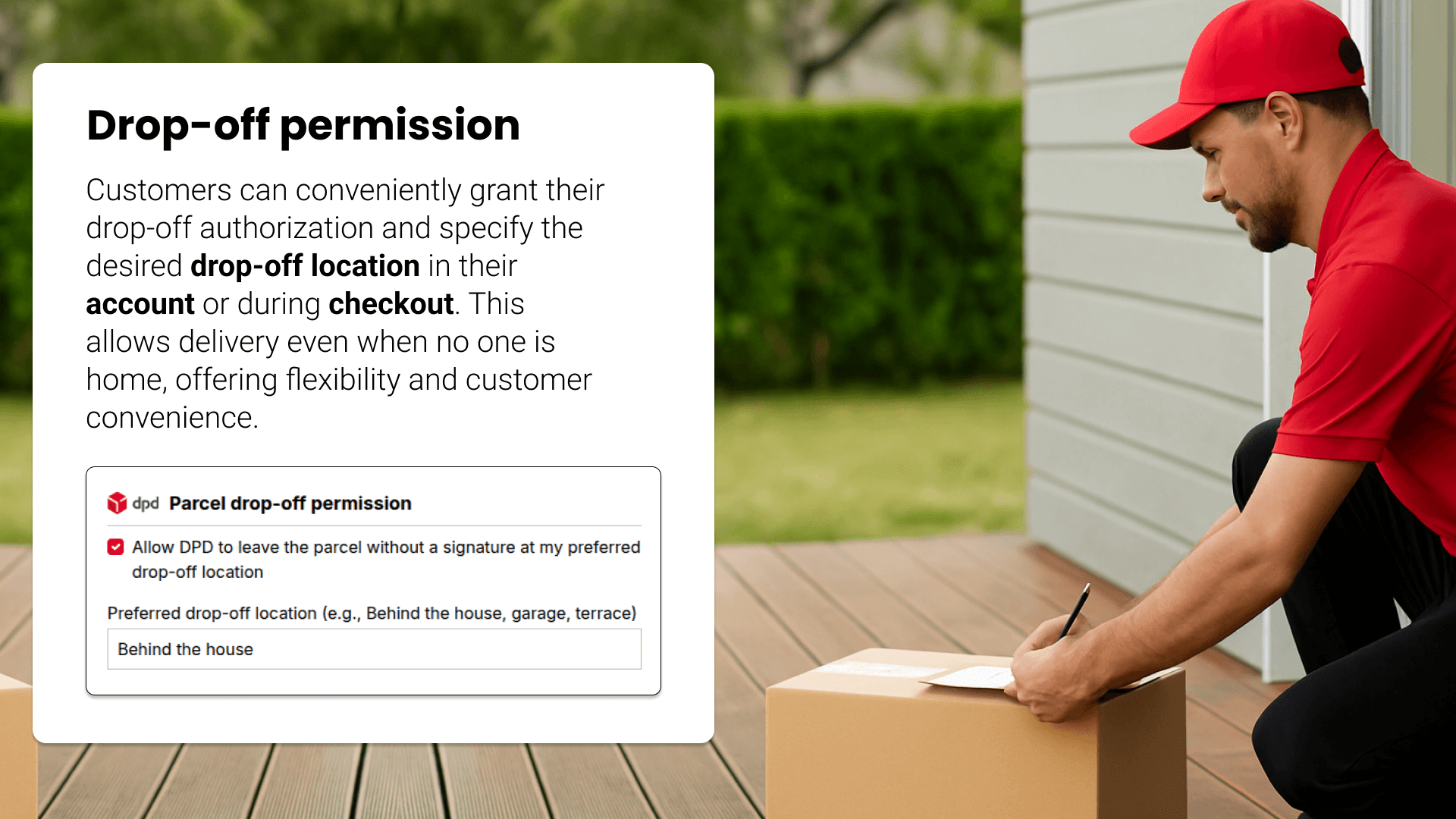
Add delivery instructions.
Use a safe-place permission in a suitable DPD delivery workflow.
- Consider delivery instructions where supported
- Check whether the service fits the shipment
Shipping information in the account.
Customers can view the shipping information associated with their orders.
- Show associated shipment data in the account
- Let customers check shipping information
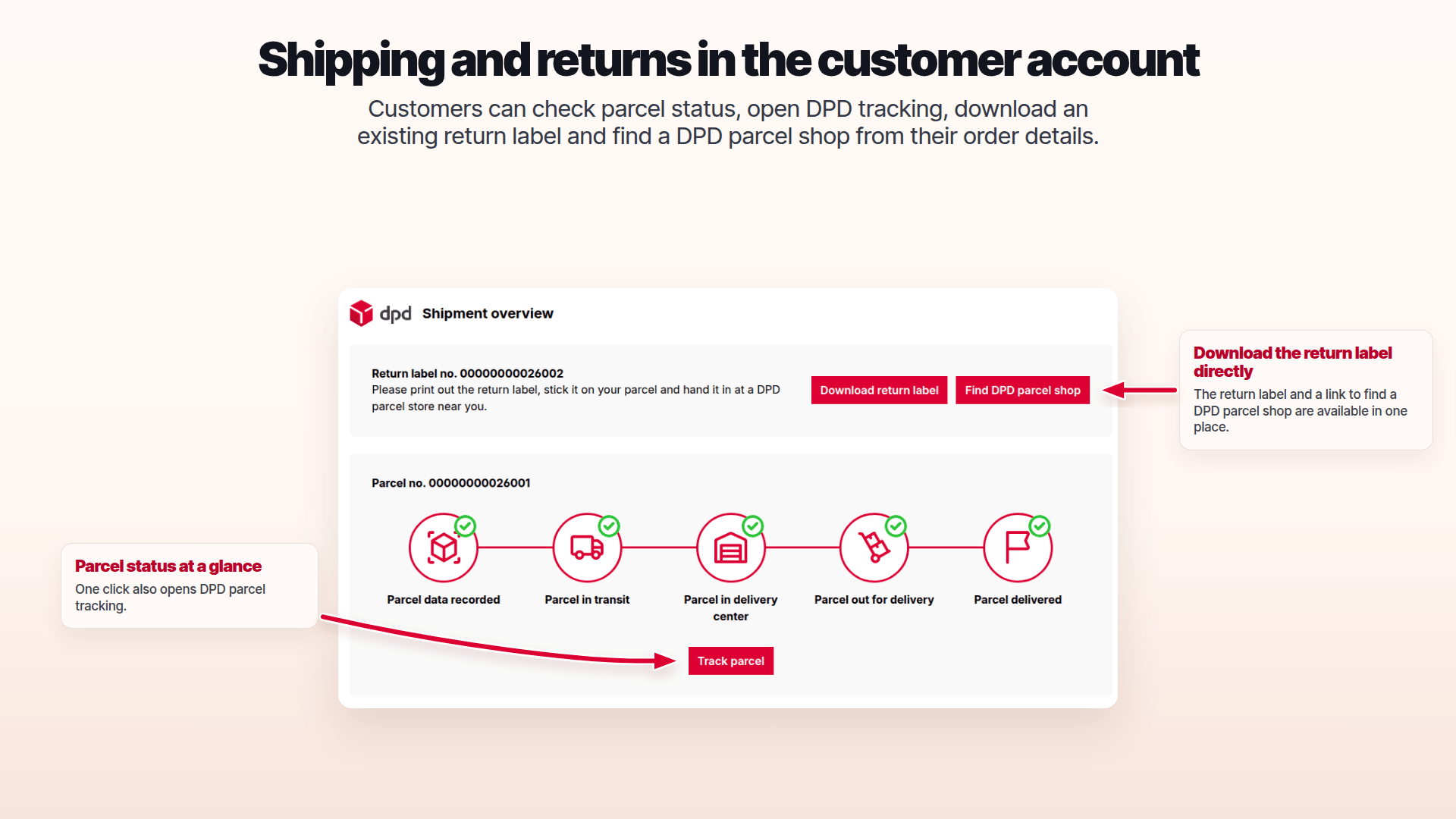
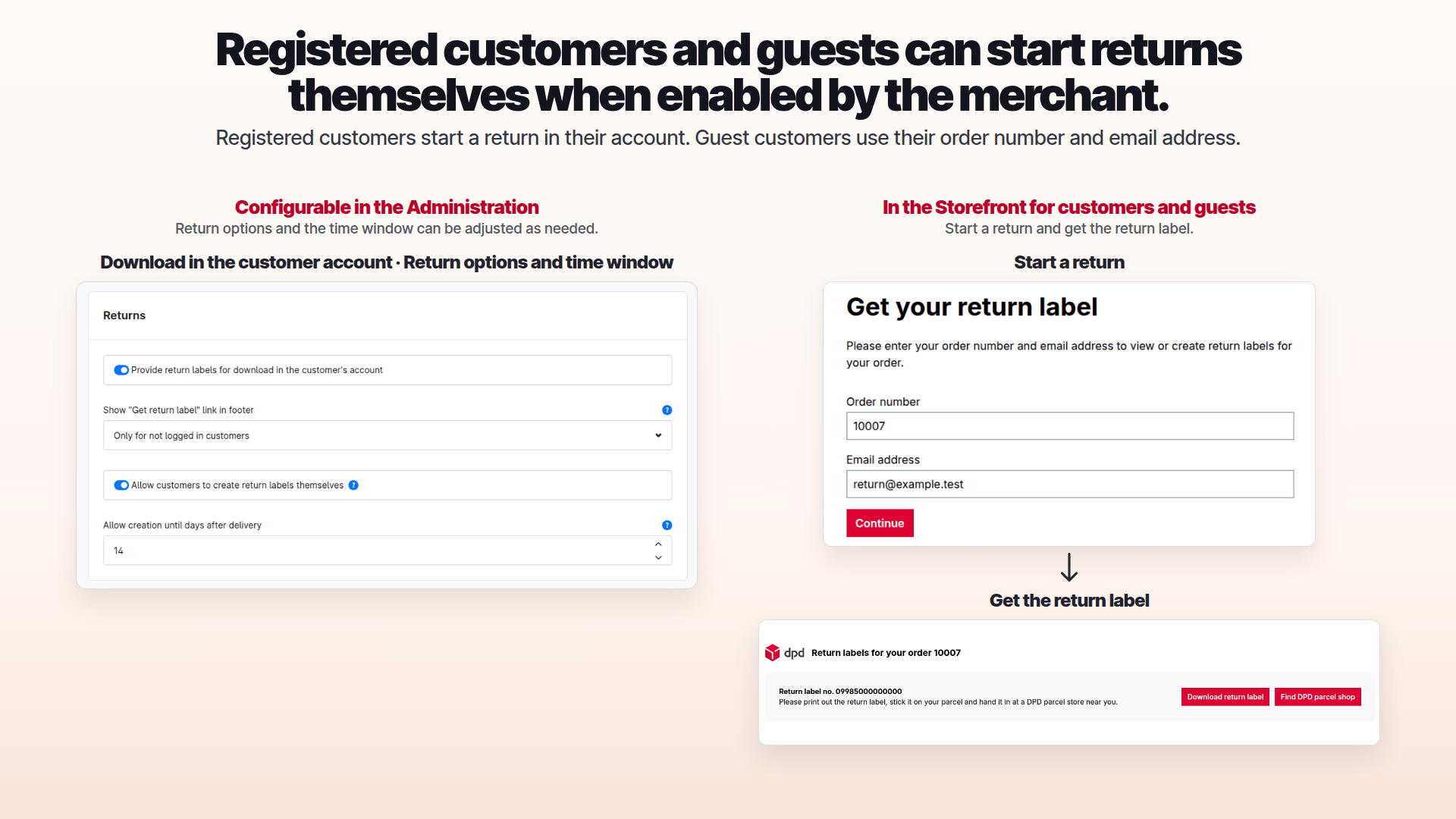
Make returns clear to customers.
The returns workflow gives customers a defined path for sending goods back.
- Make returns easier to follow
- Process returns through the intended workflow
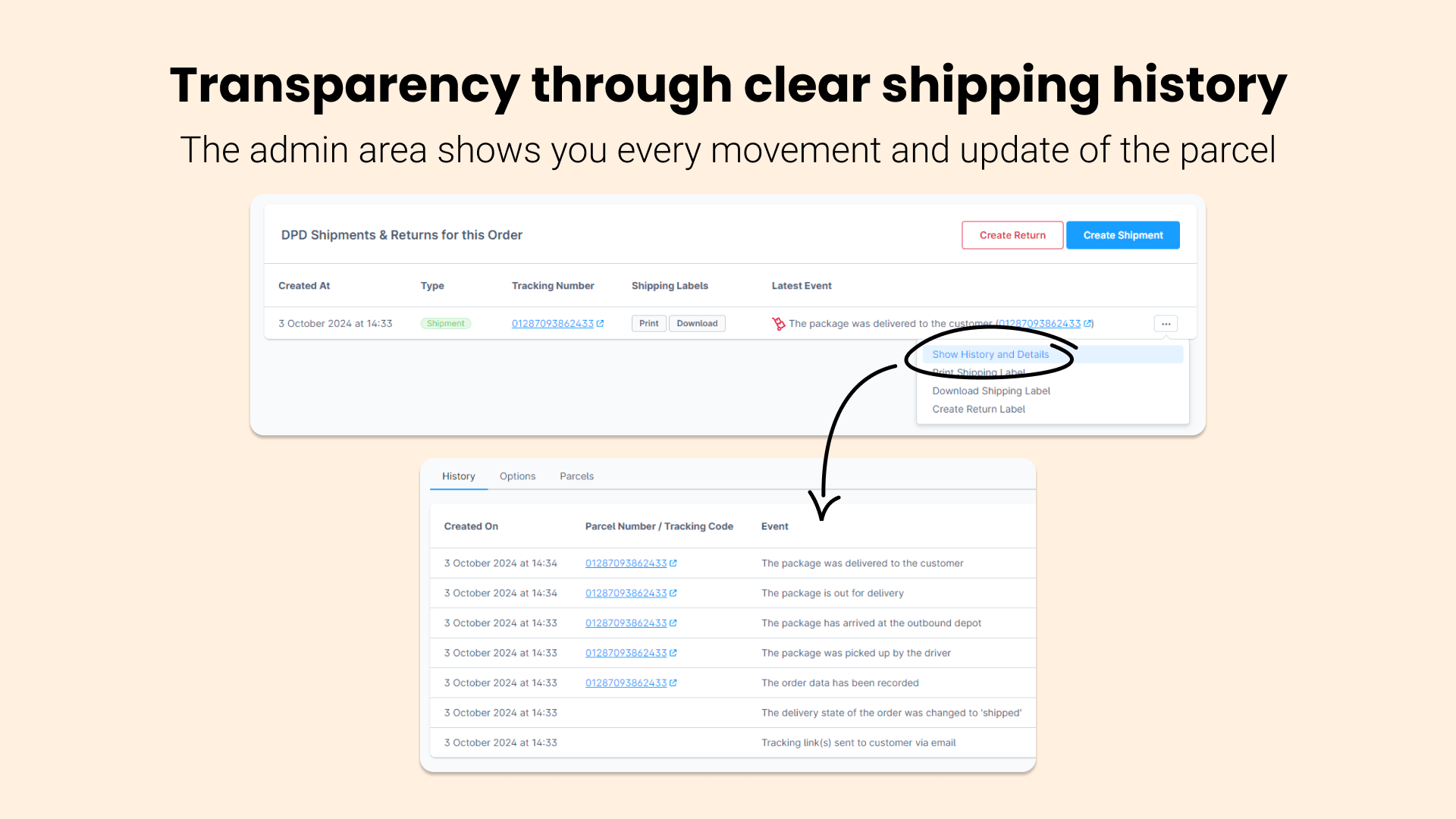
Find earlier shipments.
Check past DPD shipments and their processing status in Administration.
- Find past shipments in Administration
- Check their current processing status
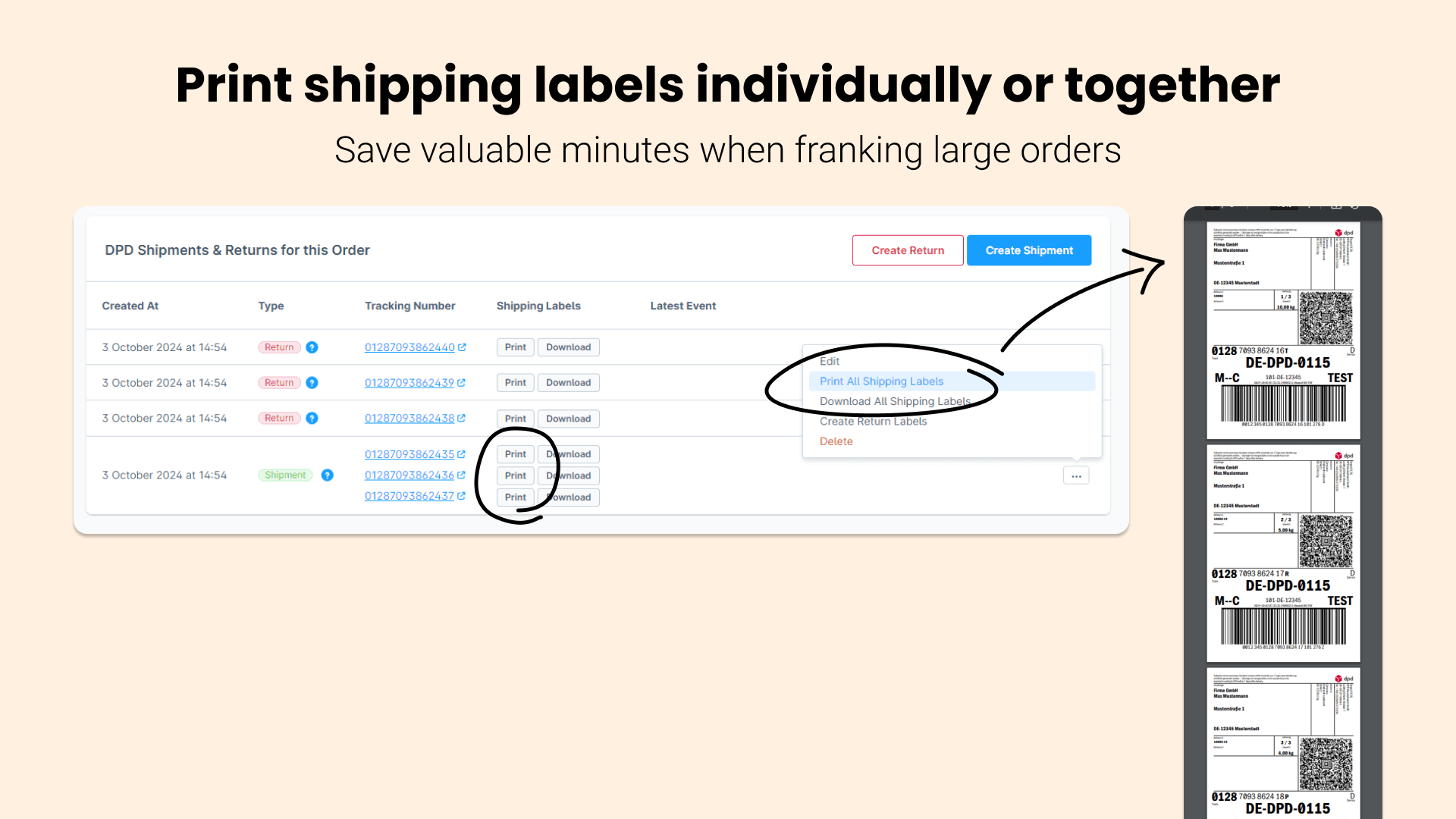
Print labels in batches.
Find and select existing DPD labels by day or shipment.
- Select existing labels by day or shipment
- Print several labels together
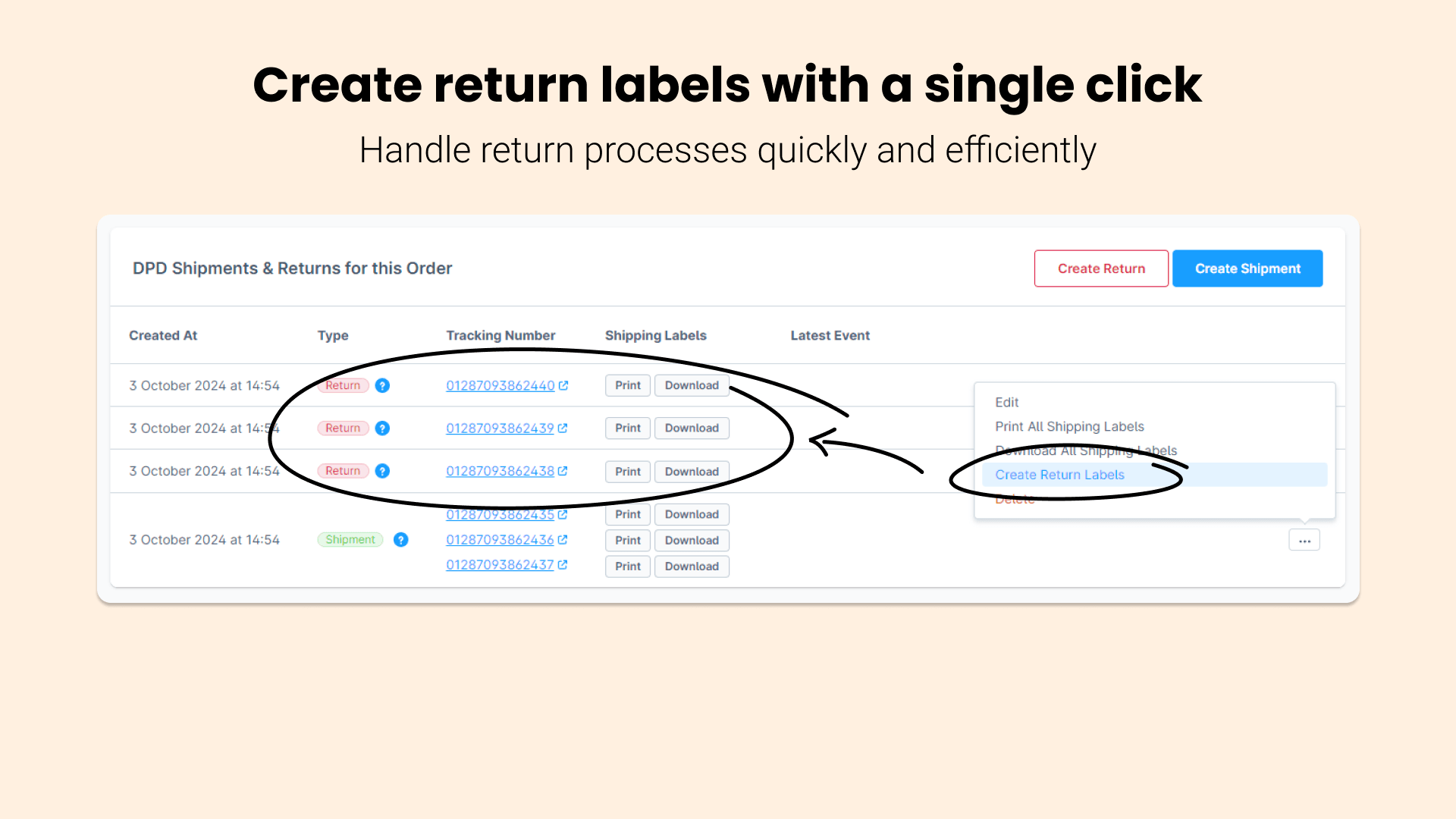
Create a return label.
Generate a DPD return label for the relevant shipment.
- Create a return label for a shipment
- Continue with the DPD returns workflow
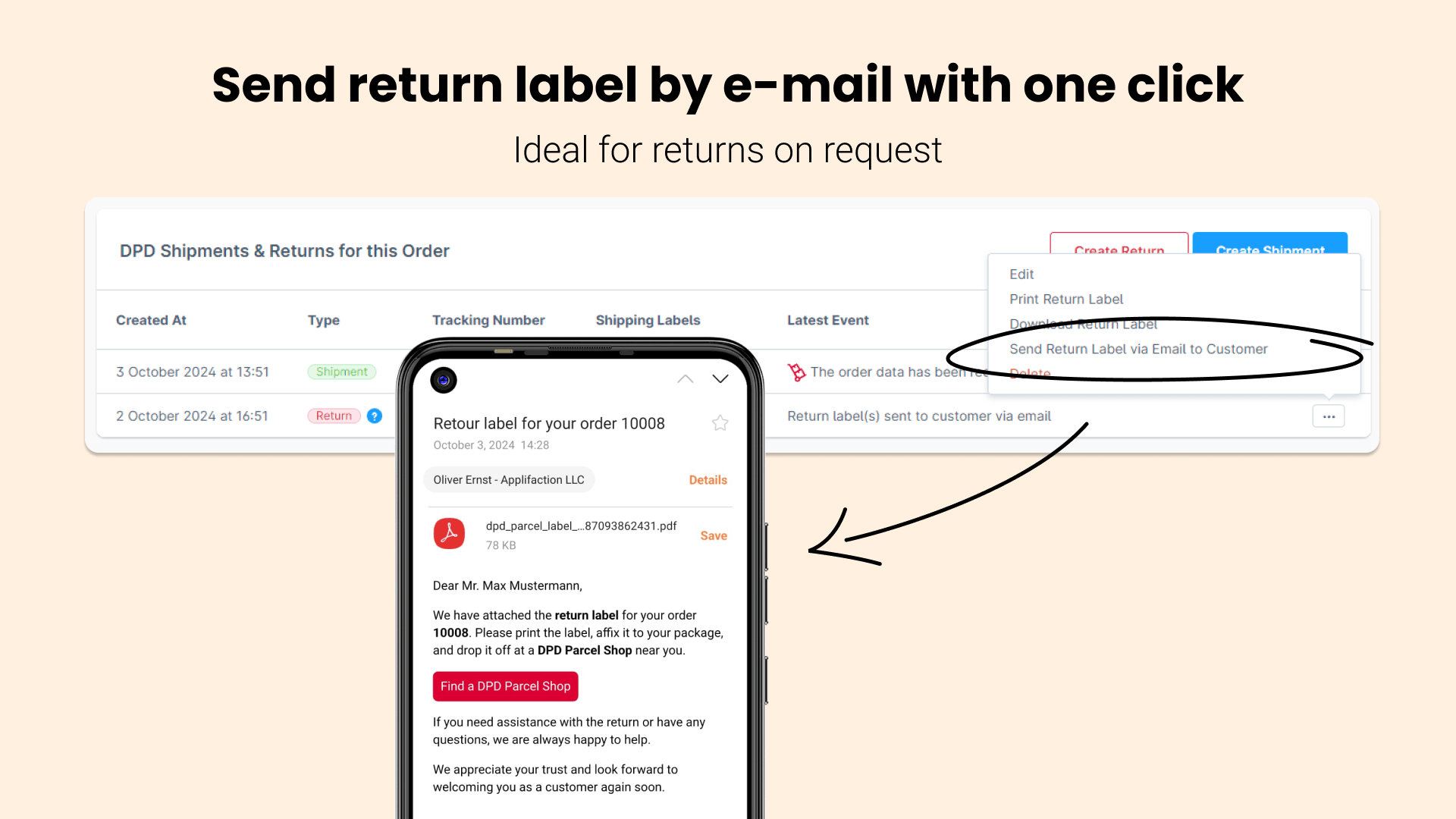
Pass the return label along.
Email a created return label to the customer.
- Email the generated return label
- Give customers the label they need
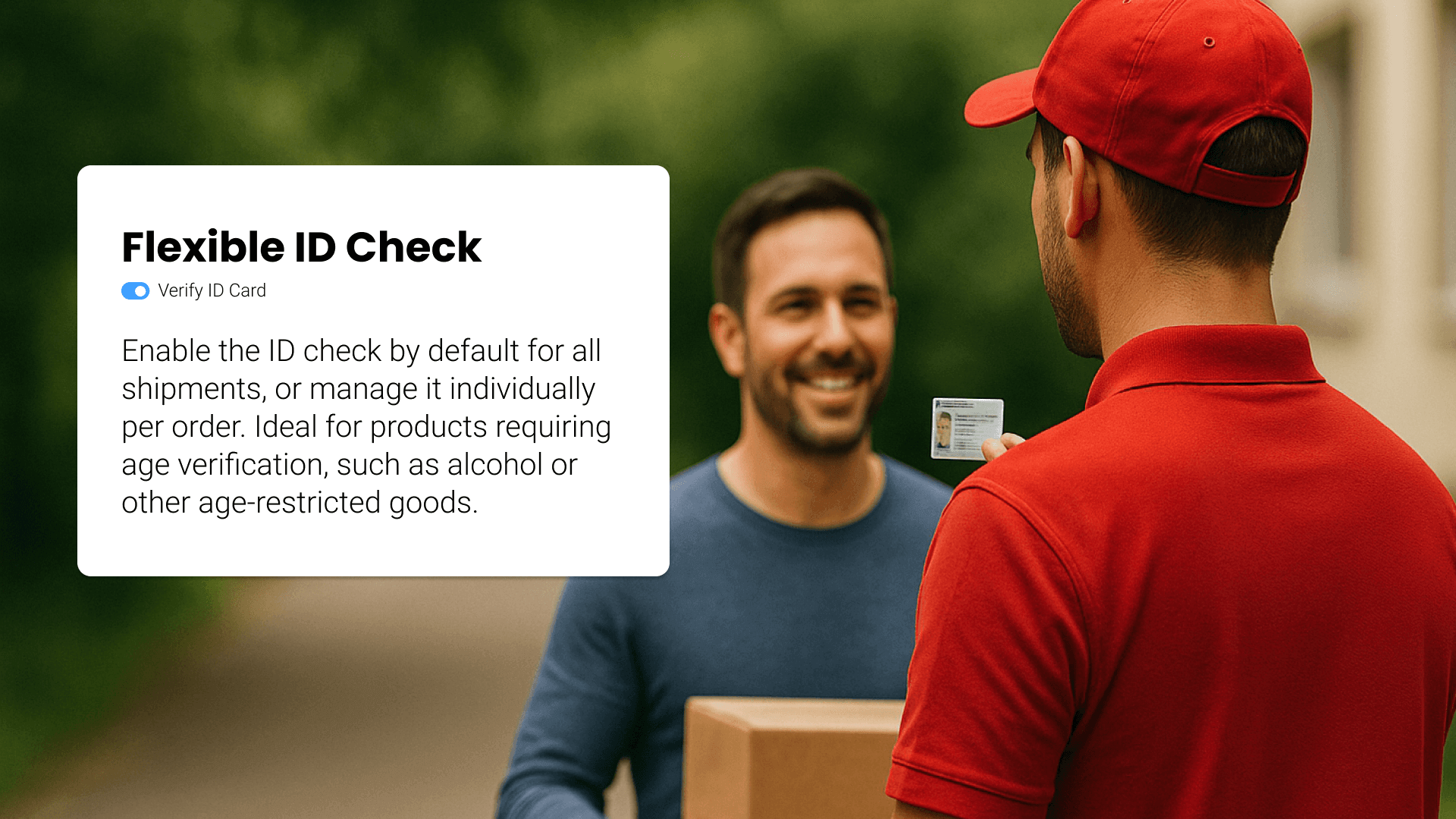
Use DPD ID Check where available.
Choose this delivery service when it matches your DPD contract and shipment.
- Choose the service for a suitable shipment
- Check contractual requirements
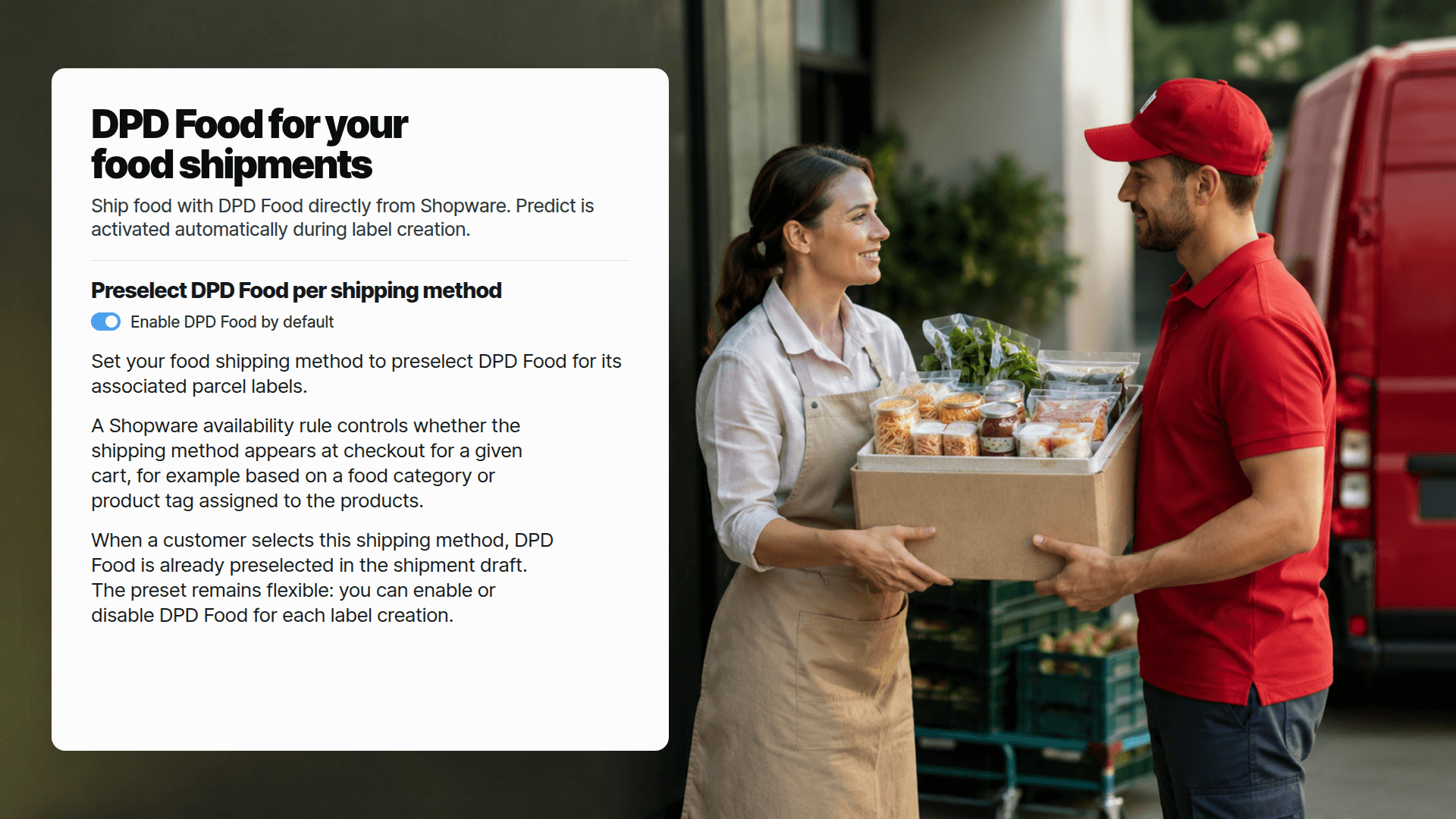
Use DPD Food deliberately.
Configure the Food option for suitable shipping methods; contract and product terms still apply.
- Preset Food for suitable shipping methods
- Check contract and product conditions
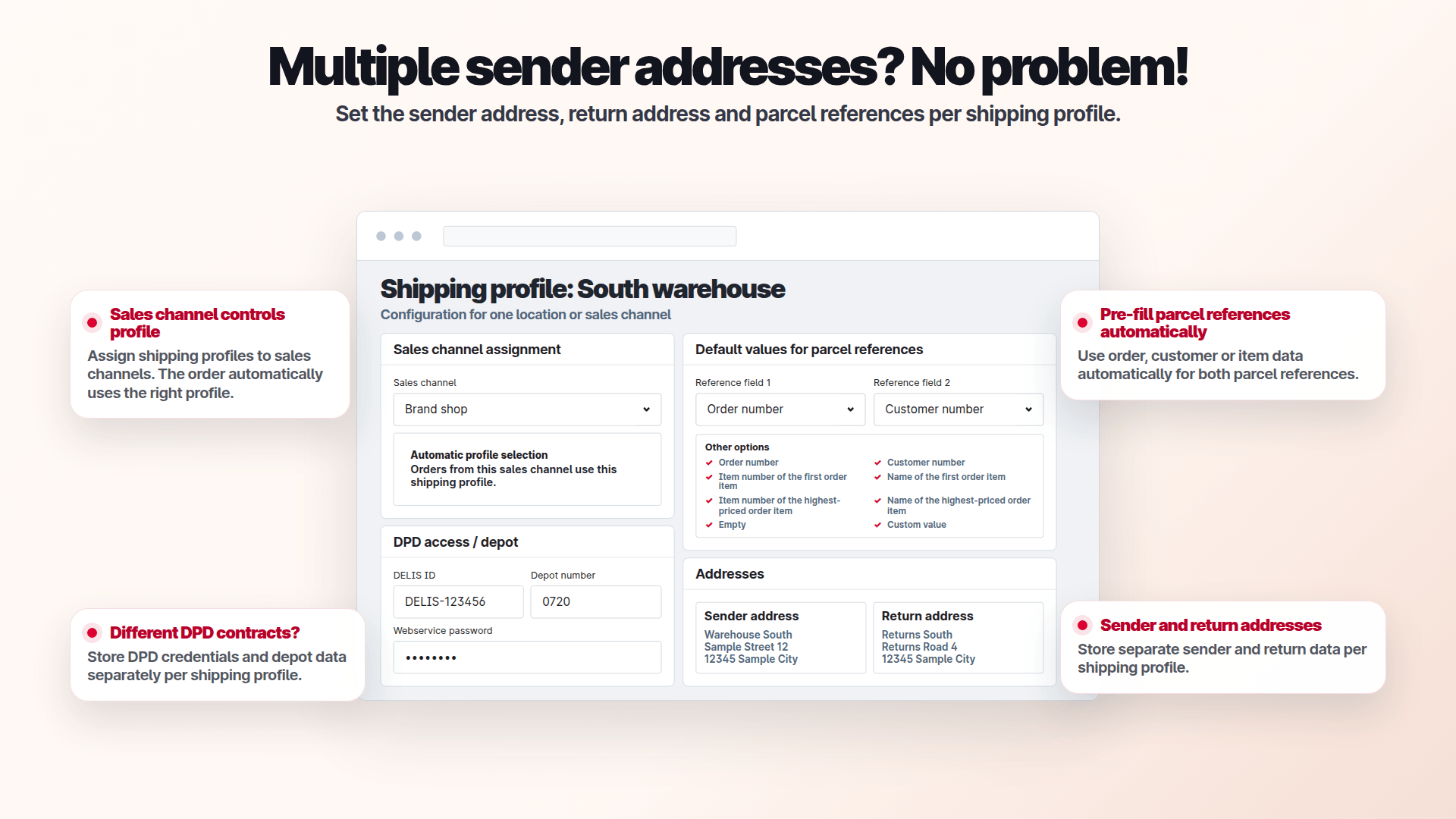
Set a sender per shipping profile.
Keep different sender addresses and assign profiles to sales channels where needed.
- Maintain separate sender addresses
- Assign profiles to sales channels when needed
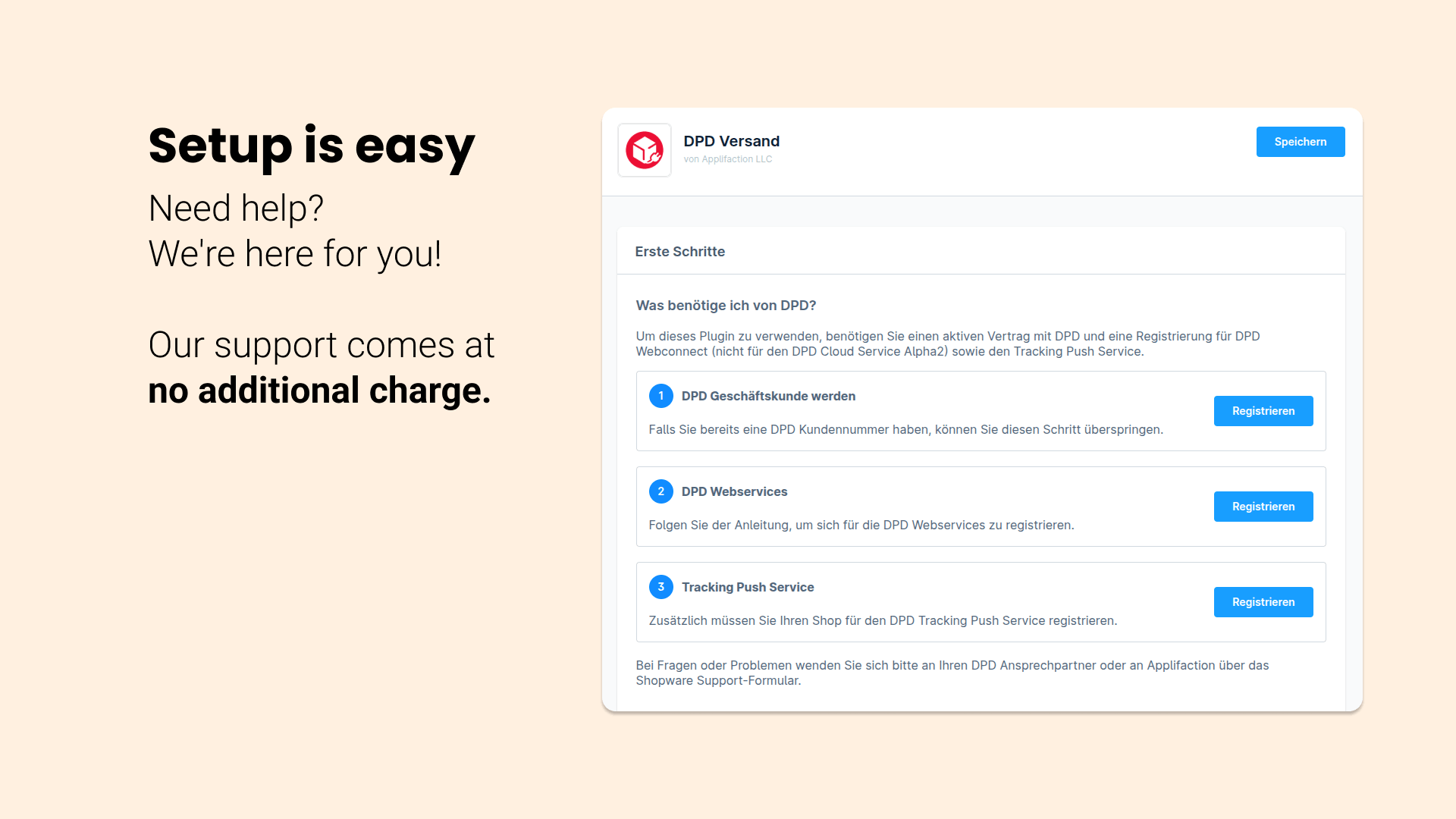
Check the prerequisites.
Live shipments need suitable DPD credentials and contract details.
- Enter DPD web-service credentials
- Check contract details before shipping
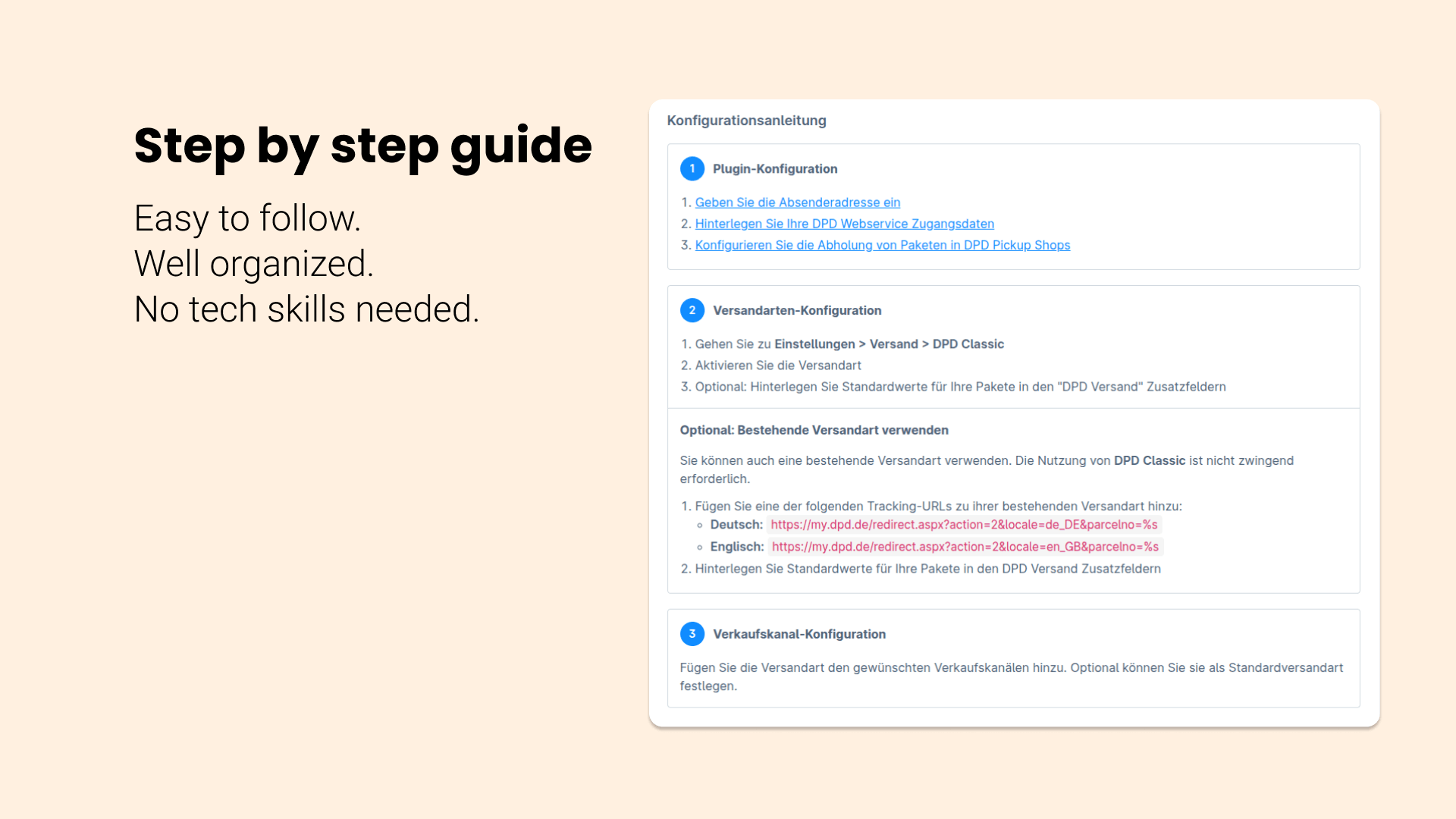
Set it up step by step.
Use the configuration guide to check the required settings in Shopware Administration.
- Go through Administration settings
- Check credentials and shipping options
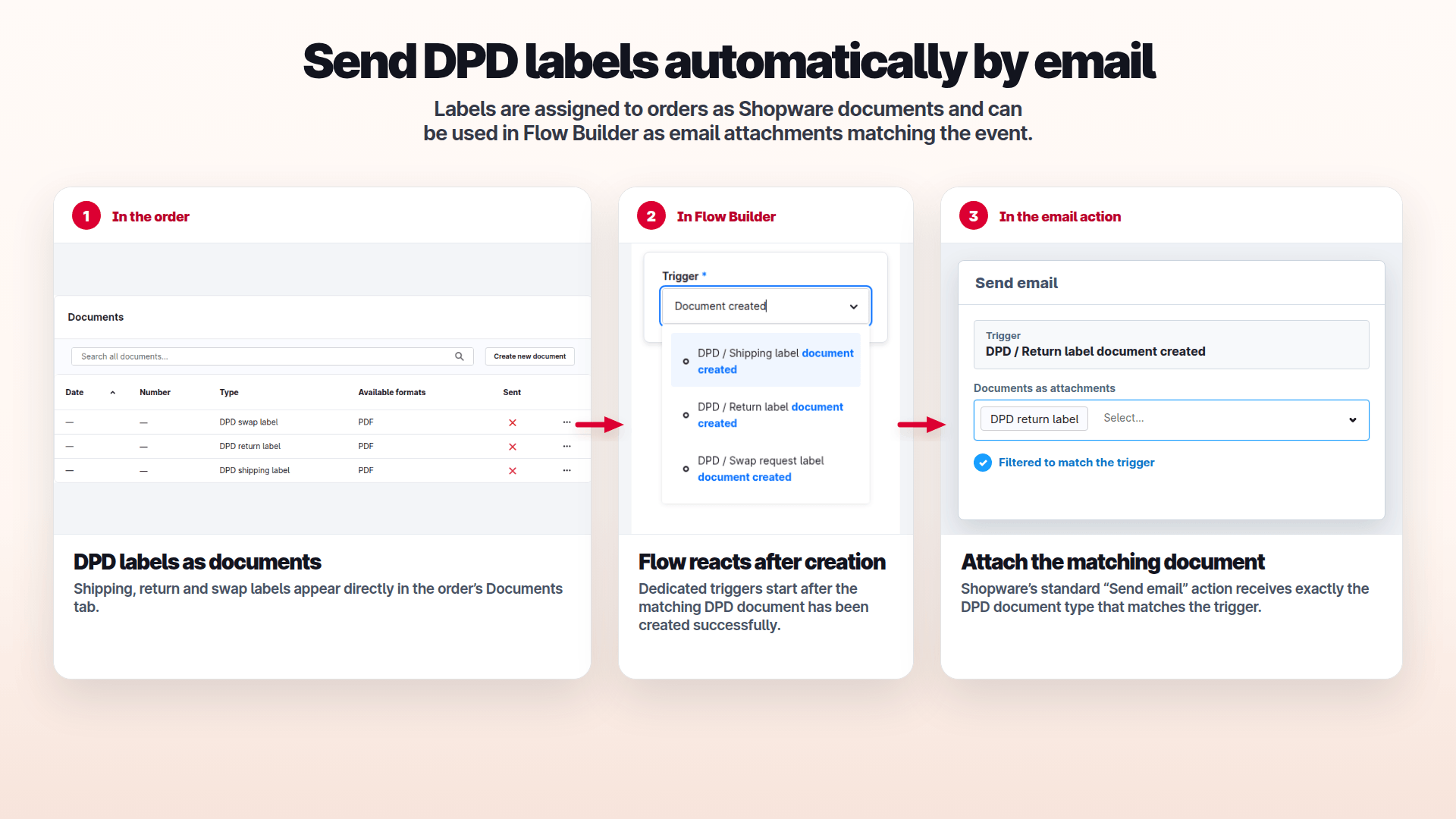
Email DPD labels automatically.
DPD labels appear as Shopware documents on the order. Matching Flow triggers let you attach the corresponding document type using Shopware’s email action.
- Shipping, return and swap labels in the Documents tab
- Flow triggers after the document is created successfully
- Attach the corresponding document to the email
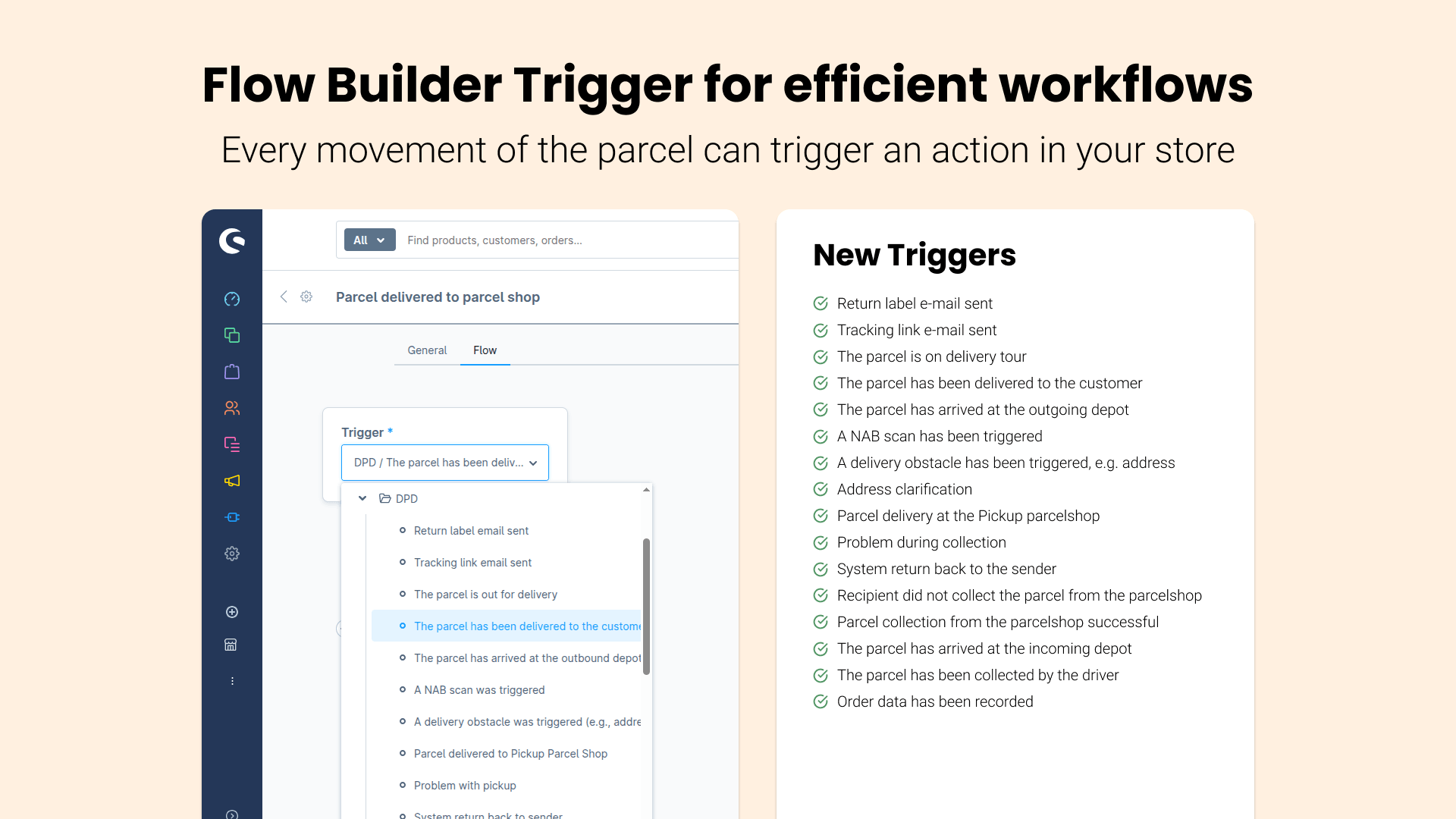
Connect shipping events.
Use the available triggers to build your own Shopware Flow Builder workflows.
- Use shipping events as triggers
- Create workflows in Flow Builder
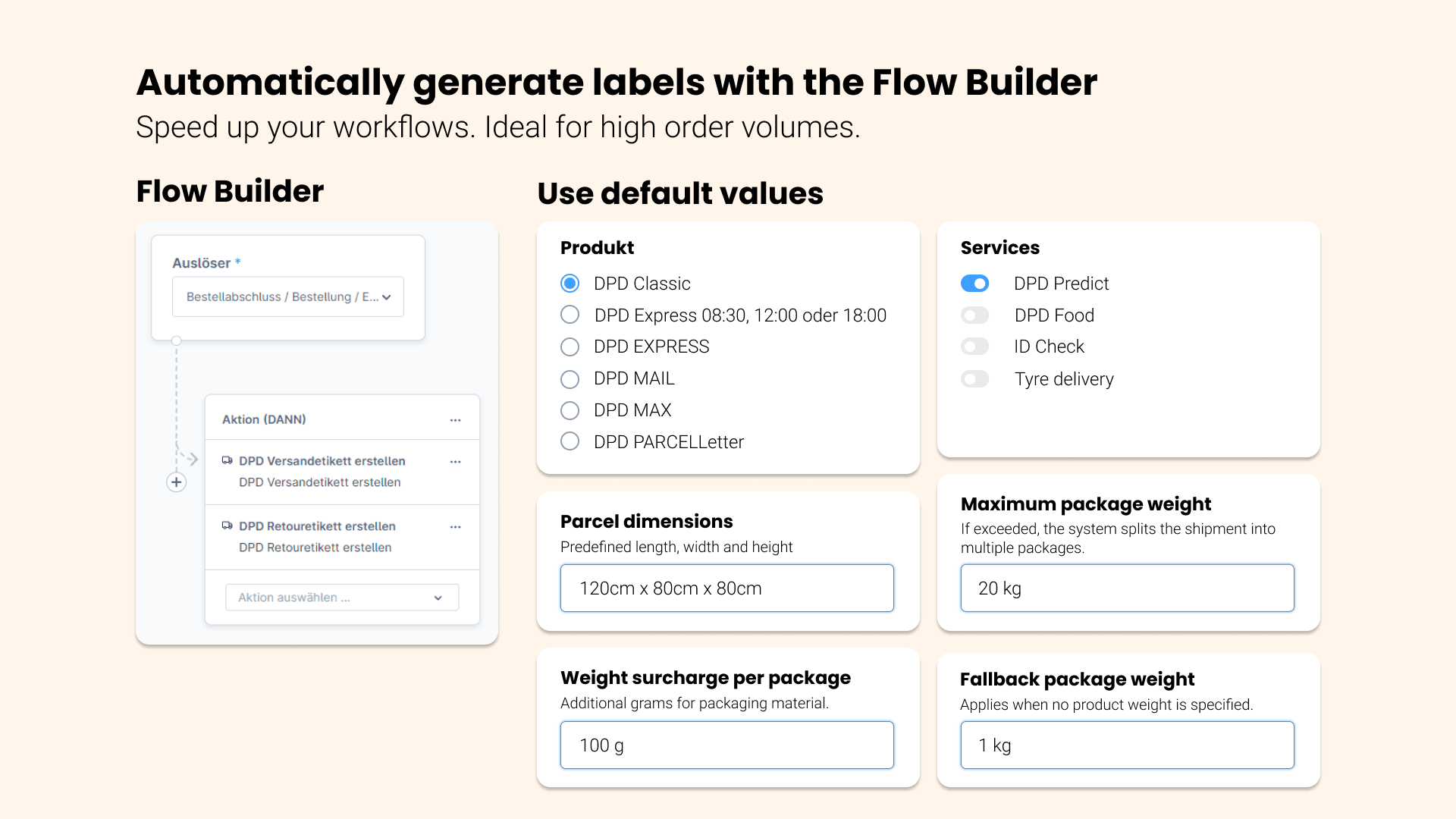
Use DPD actions in Flow Builder.
Connect the available DPD actions to supported Shopware flows.
- Use available DPD actions in flows
- Configure supported workflows
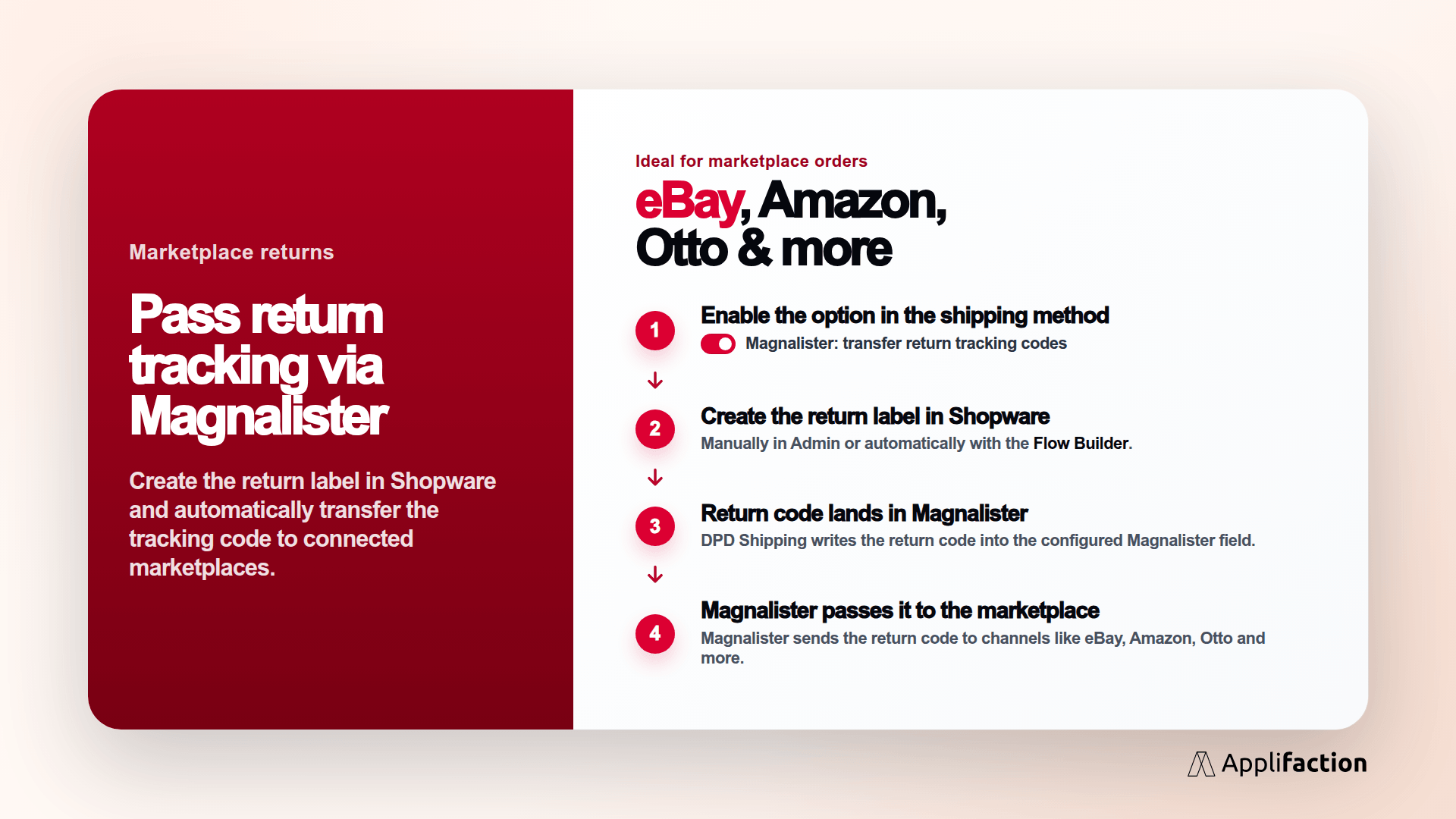
Include marketplace orders.
This image shows Magnalister in the documented shipping workflow.
- Include Magnalister orders
- Check the integration prerequisites
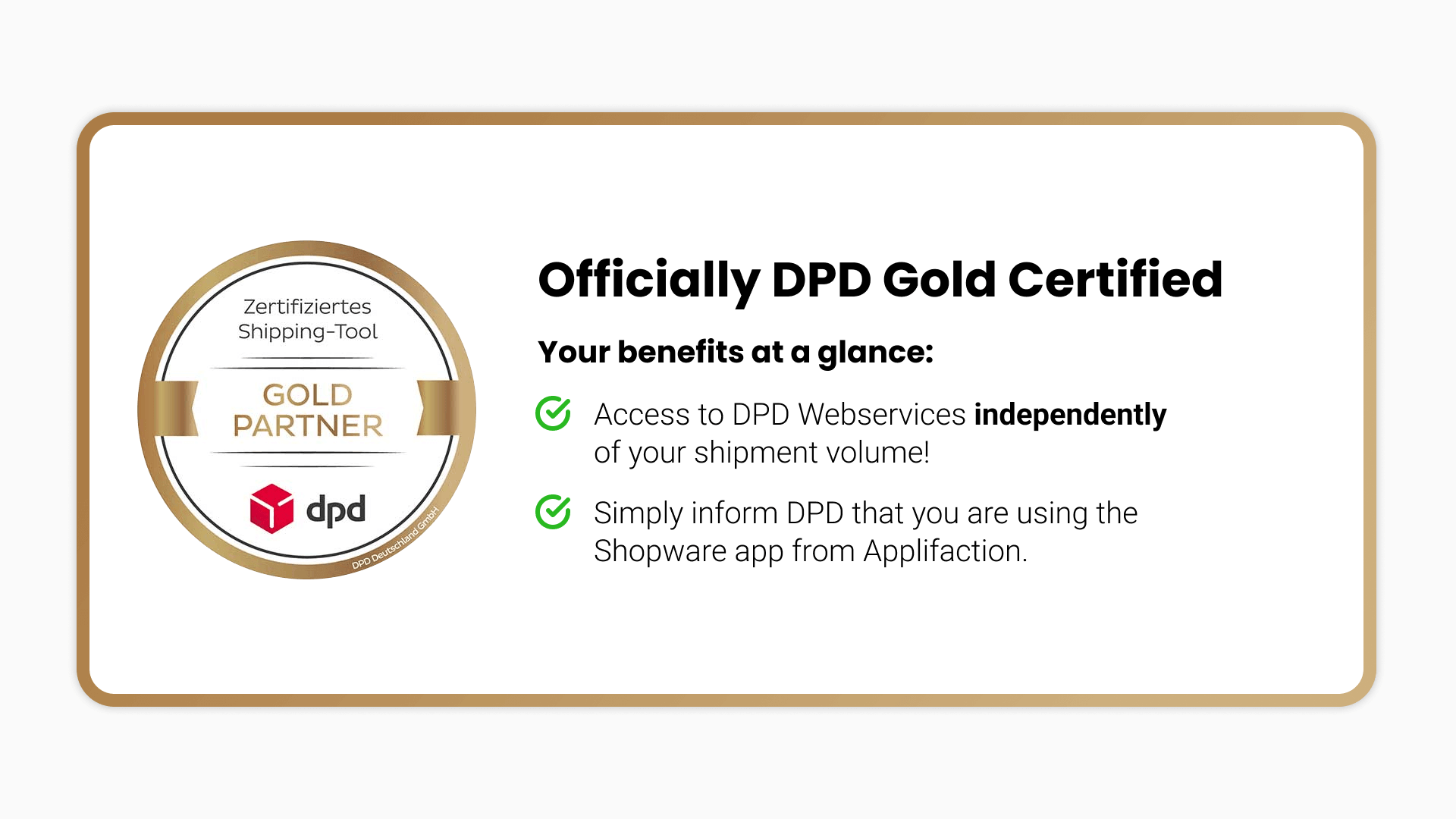
Certified DPD partnership.
Applifaction is a DPD Gold Partner; the shipping functions shown belong to the plugin.
- Applifaction is a DPD Gold Partner
- Explore the shipping functions in the images
DPD Shipping Plugin
Reviews for the DPD Shipping Plugin.
Reviews: DPD Shipping Plugin
6 reviews · DPD Shipping Plugin

Plugin tut was es soll inkl. Flow-Builder Integration. Support ist hilfsbereit und schnell!
Wir haben das DPD-Connector-Plugin für Shopware 6 installiert und sind rundum zufrieden. Der Support war hervorragend – unsere Fragen wurden schnell beantwortet und sogar Verbesserungswünsche direkt umgesetzt. Vielen Dank für den großartigen Service – klare Weiterempfehlung!
Ich kann das DPD Versand-Plugin von Applifaction wärmstens empfehlen, insbesondere für alle, die regelmäßig mit DPD versenden. Das Plugin ermöglicht es, Versandetiketten direkt im Shopware Backend zu erstellen, was den Vorgang enorm vereinfacht und beschleunigt. Ein echter Pluspunkt ist, dass die Sendungsnummer automatisch zu jeder Bestellung hinterlegt wird. Besonders hervorheben möchte ich auch den ausgezeichneten Support. Bei Fragen oder Problemen bekommt man schnell und freundlich Hilfe, was den gesamten Umgang mit dem Plugin sehr angenehm macht.
Wir haben das DPD-Connector-Plugin für Shopware 6 installiert und sind sehr zufrieden. Die Unterstützung durch den Support war ausgezeichnet – sie haben uns bei der Einrichtung geholfen und jetzt funktioniert alles reibungslos. Klare Empfehlung!
Ein Top Plugin für DPD-Versand! Funktional, zuverlässig und mit exzellentem Support. Unsere Wünsche wurden sehr schnell umgesetzt. Sehr empfehlenswert!
Sehr gutes Plugin für die DPD Label Erstellung, ich kenne mich seit 15 Jahren mit DPD Versand aus. Sehr guter Entwickler !
DPD shipping extension
Handle DPD shipping directly in Shopware
Create DPD shipments, download shipping labels and keep the shipping workflow inside the Shopware Administration.
